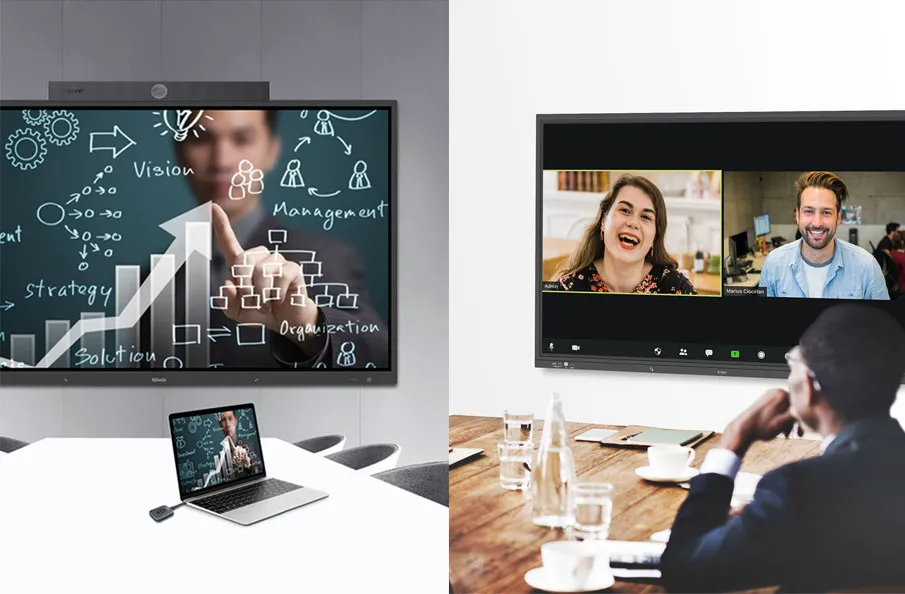
Interactive presentations are transforming the way we engage with audiences. Whether you’re conducting a corporate meeting, a classroom lecture, or even a conference presentation, the shift toward interactivity is undeniable. But what makes these presentations so effective? The ability to not only present content but to actively involve your audience in the conversation.
1. Introduction

At QNEX Tech, we provide innovative solutions designed to make your presentations more engaging and effective. Our products ensure seamless interaction, making it easier to create captivating presentations that keep your audience hooked. Explore more Qnex solutions here.
1.1. What Makes Interactive Presentations Stand Out?
Interactive presentations differ from traditional ones in that they foster participation and engagement rather than passively delivering information. Imagine asking your audience a question during a presentation and having them respond instantly. This creates an atmosphere of collaboration, making the content more memorable and impactful. The use of multimedia, touch interfaces, and audience interaction tools help bring these experiences to life, making your message clearer and more accessible.
2. The Power of Multimedia in Presentations

Multimedia is a game-changer when it comes to presentations. By integrating various media elements—such as videos, images, animations, and audio—you create a more dynamic, visually appealing experience that grabs attention. Multimedia doesn’t just enhance the aesthetics of your presentation; it helps clarify complex information, making it more digestible and engaging for your audience.
2.1. Benefits of Using Multimedia for Engagement
Multimedia serves multiple purposes. It not only makes your presentation more visually appealing but also aids in memory retention. According to research, people retain information better when it’s delivered in multiple formats. For example, combining visuals with spoken words can enhance comprehension. Furthermore, multimedia breaks up long sessions, keeping your audience engaged throughout the entire presentation.
2.2. Types of Multimedia Elements to Use
Some common multimedia elements you can incorporate include:
- Videos: Use videos to demonstrate concepts, showcase testimonials, or provide real-life examples.
- Images: Infographics, diagrams, and photos can help explain data and make abstract ideas concrete.
- Audio: Background music or sound effects can set the tone and create a more immersive experience.
3. Creating Interactive and Engaging Presentations
Creating an interactive presentation requires more than just adding multimedia elements. It’s about making your audience an active participant in the process. How can you do that? By integrating tools and features that encourage feedback, questions, and interaction.
3.1. Interactive Tools to Enhance Audience Participation
There are many tools available to help make your presentation interactive:
- Polling Software: Collect audience feedback in real time.
- Interactive Whiteboards: Allow your audience to collaborate by adding their ideas directly to the screen.
- Live Chat: Enable audience members to ask questions or comment on the presentation, even if they’re not physically present.
3.2. How to Make Your Presentations More Engaging
Here are a few tips:
- Keep It Visual: Use multimedia, such as videos and infographics, to break up text-heavy slides.
- Incorporate Real-Time Interactions: Use polls, quizzes, or Q&A sessions to keep the audience involved.
- Tell Stories: Humans are wired for storytelling. Frame your presentation as a story, with a clear beginning, middle, and end.
3.3. Gamification: Making Learning Fun and Interactive
Gamification involves using game-like elements in non-game environments. By adding quizzes, points, or challenges, you can create a sense of competition and excitement. This not only makes the presentation more engaging but also enhances retention, as participants are more likely to remember information when they’ve actively participated.
3.4. Polling and Surveys: Real-Time Feedback and Interaction
One of the easiest ways to engage your audience is through live polling and surveys. You can ask for immediate feedback or test their knowledge. This gives your audience a voice and allows you to adjust your content based on their responses, ensuring the presentation is aligned with their needs and interests.
4. Applications of Interactive Presentations in Commercial Environments
Interactive presentations are increasingly popular in commercial settings, especially in corporate training, conferences, and business meetings.
4.1. Impact in Corporate Training and Development
Interactive presentations are especially effective for corporate training. They engage employees and provide real-time feedback, making the learning experience more immersive. Interactive elements such as quizzes, surveys, and collaboration tools can be integrated to foster participation and ensure that employees absorb key information effectively.
4.2. How Interactive Presentations Improve Business Meetings and Conferences
In meetings and conferences, interactivity fosters engagement and drives collaboration. Rather than just listening to a speaker, participants can ask questions, provide feedback, and interact with the content in real-time. This results in more productive discussions and better decision-making.
5. The Role of AV and Control Technology in Interactive Presentations
The backbone of any interactive presentation is the AV and control technology that supports it. Without the right tools, your efforts may fall flat. That’s where companies like QNEX Tech come in.
5.1. Presentation Switchers and Their Importance in Seamless Presentations
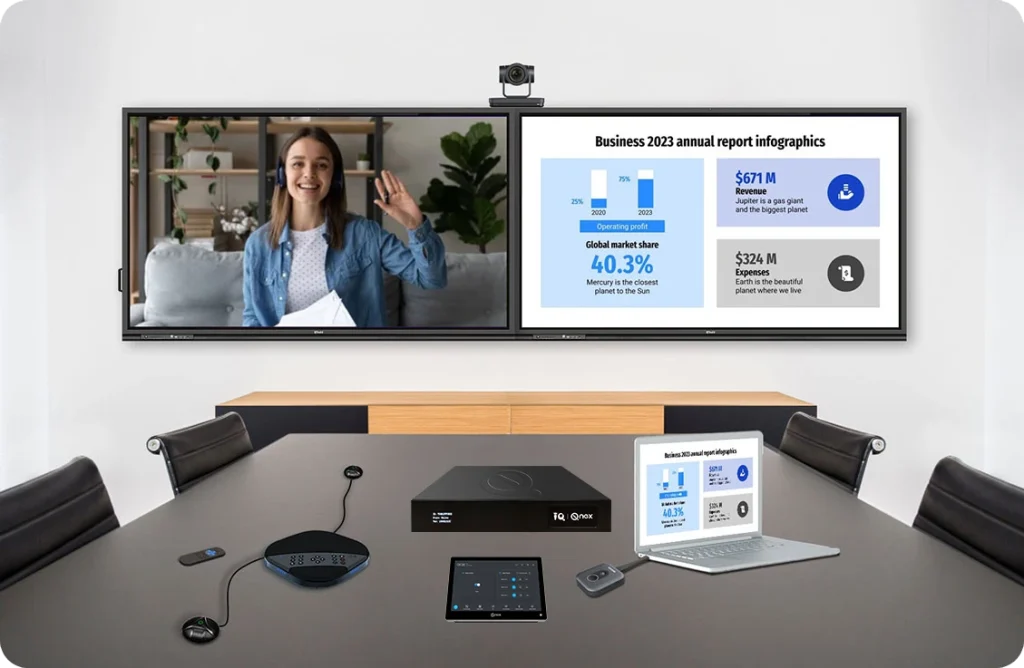
Presentation switchers allow you to manage multiple video and audio sources seamlessly, ensuring a smooth flow during your presentation. This is crucial, especially when you’re switching between videos, slides, and live feeds. Learn more about QNEX’s Presentation Switcher.
5.2. Features of a High-Quality Presentation Switcher
A high-quality presentation switcher should offer:
- Multiple Inputs: To handle various multimedia sources.
- Real-Time Switching: Instant transitions between different media elements.
- Seamless Integration: Compatibility with a variety of AV equipment.
5.3. Interactive Displays and Touchscreens: The Future of Presentations
Touchscreens and interactive displays are increasingly becoming a central feature in presentations. These tools allow for easy manipulation of content and provide a more engaging experience for the audience. Attendees can interact directly with the content, making the presentation feel more like a two-way conversation.
6. Choosing the Right Interactive Presentation Solution
When selecting an interactive presentation solution, there are several factors to consider.
6.1. Factors to Consider When Selecting a Solution
- Budget: High-tech solutions come at a cost, so choose one that aligns with your budget.
- Features: Ensure the solution offers all the features you need, like real-time interaction, multimedia integration, and compatibility with other AV equipment.
- Scalability: Choose a solution that can grow with your needs.
6.1.1. Budget, Features, and Scalability
Consider these three factors carefully to ensure you choose a solution that fits your immediate needs while leaving room for growth. A flexible and scalable solution allows you to adapt as your presentation needs evolve.
6.1.2. Compatibility with Other AV Equipment
Make sure the solution is compatible with your existing AV setup, whether that includes projectors, microphones, or cameras. Compatibility ensures a smooth and hassle-free experience.
7. Top Interactive Presentation Solutions Available
There are many solutions available in the market, but some stand out due to their quality and features.
7.1. A Look at Solutions by QNEX Tech
QNEX Tech offers some of the best interactive presentation solutions on the market, from interactive displays to presentation switchers. These solutions integrate seamlessly with your existing equipment and provide a user-friendly interface that makes it easy to create, manage, and deliver presentations.
7.2. How QNEX Tech’s Solutions Improve Presentations
By investing in QNEX Tech’s interactive solutions, you can elevate your presentations to the next level. Whether you’re engaging your audience through a touchscreen or managing multiple video sources with a presentation switcher, these solutions ensure a smooth, professional presentation every time. Check out our products here.
8. Conclusion
Interactive presentations are the future, and investing in the right solutions can drastically improve your communication, whether in a classroom, boardroom, or conference hall. By leveraging multimedia and AV technology, you can engage your audience in a way that traditional methods simply can’t. Want to take your presentations to the next level? Contact QNEX Tech today for the best interactive presentation solutions.
9. FAQs
What is an interactive presentation? An interactive presentation is a presentation where the audience participates directly, offering real-time feedback and engaging with the content through tools like polls and interactive displays.
How do multimedia elements improve presentations? Multimedia elements, such as videos, images, and audio, help to break up content, make information clearer, and increase engagement by appealing to different learning styles.
What are some common interactive presentation tools? Some common tools include interactive whiteboards, live polling software, Q&A sessions, and touchscreen displays.
How can QNEX Tech’s solutions improve my presentations? QNEX Tech offers high-quality AV and control technology, including presentation switchers and interactive displays, that integrate seamlessly into your setup to create smooth, engaging presentations.
Are interactive presentations useful in corporate environments? Yes, interactive presentations are ideal for corporate environments, especially for training and meetings, as they encourage participation, improve retention, and lead to more productive discussions.
Here are some other articles that we think might interest you:
Level Up Your Conference Room with Presentation Switchers
Unleash Creativity: Multimedia Presentations
7 Key Factors to Consider When Choosing a Presentation Switcher