Table of Contents
1. The Power of Visual Storytelling
Have you ever sat through a presentation that was so dull, you felt your eyelids getting heavier with each passing slide? Yeah, me too. But what if I told you that presentations could be an exhilarating experience? That’s right, we’re talking about multimedia presentations – a dynamic blend of visuals, audio, and text that can captivate your audience and leave a lasting impression.
1.1. Why Multimedia Presentations Matter
In today’s fast-paced world, people have shorter attention spans than a goldfish. If you want to grab their attention and keep them engaged, you need to deliver information in a way that’s visually appealing, easy to understand, and memorable. That’s where multimedia presentations come in. They can transform boring data into exciting stories, complex ideas into simple concepts, and dull information into engaging experiences.
Multimedia presentations leverage various forms of media to create a more engaging and interactive experience. They can be particularly effective in retaining audience attention and enhancing comprehension. By incorporating elements such as images, videos, and interactive features, you make the content more relatable and easier to absorb.
1.2. The Science Behind Visual Learning
Did you know that our brains process visuals 60,000 times faster than text? That’s a staggering fact! It means that when you use images, videos, and other visual elements in your presentations, you’re not just making them look pretty; you’re actually helping your audience learn and retain information more effectively.
Visuals help in breaking down complex information and making it more accessible. The use of charts, graphs, and infographics can simplify data and make it more understandable. Furthermore, engaging visuals can create an emotional connection with the audience, which can make the information more memorable.
2. Crafting Compelling Visuals
Okay, so we know that visuals are important. But how do you create visuals that actually wow your audience? Let’s break it down.
2.1. Choosing the Right Images
Images are the backbone of any great presentation. They can evoke emotions, tell stories, and provide context. But not all images are created equal. You need to choose images that are relevant, high-quality, and visually appealing. Think about the message you want to convey and select images that reinforce that message.
When selecting images, consider the following tips:
Relevance: Ensure that the images align with the content and enhance the message.
Quality: Use high-resolution images to avoid pixelation and maintain professionalism.
Consistency: Maintain a consistent style and color scheme to ensure coherence.
2.2. Designing Effective Graphics
Graphics are a versatile tool that can be used to illustrate data, explain complex concepts, or simply add visual interest to your presentation. Whether it’s charts, graphs, or diagrams, the key to effective graphics is simplicity. Keep it clean, clear, and easy to understand.
Here are some best practices for designing effective graphics:
Simplicity: Avoid clutter and focus on the essential information.
Clarity: Use clear labels and legends to make the data easy to interpret.
Consistency: Use a uniform style for all graphics to maintain visual harmony.
2.3. The Magic of Infographics
Infographics are like visual candy for the brain. They combine data, visuals, and storytelling to create engaging and informative graphics. If you want to make your data more digestible, consider turning it into an infographic.
Infographics are particularly useful for:
Summarizing Data: Present large amounts of data in an easy-to-understand format.
Illustrating Processes: Show steps or processes in a clear, visual manner.
Highlighting Key Points: Draw attention to important information in a visually appealing way.
3. Incorporating Engaging Multimedia
Visuals are great, but what about adding other multimedia elements? Let’s dive in.
3.1. The Power of Video
Video can bring your presentation to life. Whether it’s a short clip, an animation, or a testimonial, video can add a new dimension to your content. Just make sure the video is relevant, high-quality, and doesn’t distract from your message.
Consider these tips when incorporating video:
Relevance: Ensure the video supports your key points and adds value.
Quality: Use high-definition videos to maintain a professional appearance.
Length: Keep videos concise to avoid losing the audience’s attention.
3.2. The Art of Audio
Sound can enhance your presentation in surprising ways. Music, sound effects, and even voiceovers can create atmosphere, emphasize points, and add emotional impact. But use audio sparingly, or it can become overwhelming.
Effective use of audio includes:
Background Music: Choose music that complements the tone of your presentation without being distracting.
Sound Effects: Use sound effects to emphasize key points or transitions.
Voiceovers: Consider adding voiceovers for additional explanations or context.
3.3. Interactive Elements: A New Frontier
Imagine a presentation where your audience can interact with the content. Sounds cool, right? Interactive elements like quizzes, polls, and clickable links can make your presentation more engaging and memorable.
Interactive features can:
Increase Engagement: Encourage active participation and feedback.
Enhance Learning: Allow the audience to explore content at their own pace.
Gather Insights: Collect real-time data on audience responses and preferences.
4. Designing for Impact
Now that we’ve covered the basics, let’s talk about design.
4.1. The Importance of Storytelling
Every great presentation is a story. You need to have a clear beginning, middle, and end. Your slides should guide your audience through the story, building excitement and anticipation.
A well-crafted story includes:
Introduction: Set the stage and present the main idea.
Body: Develop the main points with supporting information and evidence.
Conclusion: Summarize key takeaways and provide a call to action or closing thoughts.
4.2. Creating a Strong Structure
A well-structured presentation is like a building with a solid foundation. You need a clear introduction, a logical flow of information, and a strong conclusion. Each slide should build on the previous one, leading your audience to a clear understanding of your message.
Ensure your presentation has:
Logical Flow: Organize content in a coherent sequence.
Clear Transitions: Use transitions to smoothly connect different sections.
Strong Conclusion: End with a memorable closing that reinforces your message.
4.3. Less is More: The Power of Simplicity
Remember the KISS principle: Keep It Simple, Stupid. Overcrowded slides are hard to read and distracting. Focus on delivering key points and using visuals to enhance your message.
Simplicity can be achieved by:
Limiting Text: Use bullet points and concise statements.
Using White Space: Provide ample space around text and visuals to avoid clutter.
Choosing a Consistent Style: Maintain a uniform font, color scheme, and layout.
5. Tips for Delivering a Stellar Presentation
You’ve created an amazing presentation. Now it’s time to deliver it with confidence.
5.1. Practice Makes Perfect
The more you practice, the more confident you’ll be. Rehearse your presentation out loud, time yourself, and pay attention to your body language.
Tips for practicing:
Rehearse Aloud: Practice speaking your content to refine your delivery.
Time Yourself: Ensure your presentation fits within the allotted time.
Record Yourself: Review recordings to identify areas for improvement.
5.2. Handling Q&A with Confidence
Be prepared for questions. Anticipate potential questions and develop thoughtful answers. Listen carefully to the question, take a moment to think, and then provide a clear and concise response.
Strategies for handling Q&A:
Anticipate Questions: Prepare answers for common or expected questions.
Listen Actively: Pay attention to the question and ensure understanding.
Respond Clearly: Provide concise and relevant answers.
5.3. Leveraging Technology Effectively
Technology can be a powerful tool, but it can also be a source of stress. Make sure you’re familiar with the equipment and software you’ll be using. Have a backup plan in case something goes wrong.
Technology tips include:
Familiarize Yourself: Know how to operate the equipment and software.
Test Equipment: Conduct a trial run to ensure everything works smoothly.
Have a Backup: Prepare for potential technical issues with alternative solutions.
6. Conclusion
Creating a multimedia presentation that truly captivates your audience takes time, effort, and creativity. But when done right, it can be a game-changer. By combining stunning visuals, engaging multimedia, and a compelling story, you can create presentations that not only inform but inspire. So go ahead, unleash your creativity and create presentations that leave a lasting impression.
7. FAQs
What is the best software for creating multimedia presentations?
Several excellent presentation software options are available, including PowerPoint, Google Slides, Keynote, and Prezi. The choice depends on your specific needs and preferences, such as features, ease of use, and compatibility with your hardware.
How can I make my presentations more engaging for online audiences?
To engage online audiences, use interactive elements like live polls or Q&A sessions, ensure your slides are visually appealing, and optimize your presentation for various screen sizes. Consider integrating real-time feedback mechanisms to increase engagement.
What are some common mistakes people make when creating multimedia presentations?
Common mistakes include using excessive text, relying on uninteresting visuals, and failing to practice the presentation. Additionally, not considering the audience’s needs and preferences can lead to ineffective communication.
How can I overcome fear of public speaking when presenting?
Overcoming fear of public speaking involves practice, preparation, and positive visualization. Focus on connecting with your audience and delivering valuable information. Regular practice can help build confidence and reduce anxiety.
What are some tips for designing visually appealing slides?
Use high-quality images, limit text, and maintain a consistent color palette. Effectively use white space and incorporate icons and graphics to enhance your message. Ensuring visual clarity and coherence will make your slides more engaging.
Q-NEX Products for Multimedia Presentations
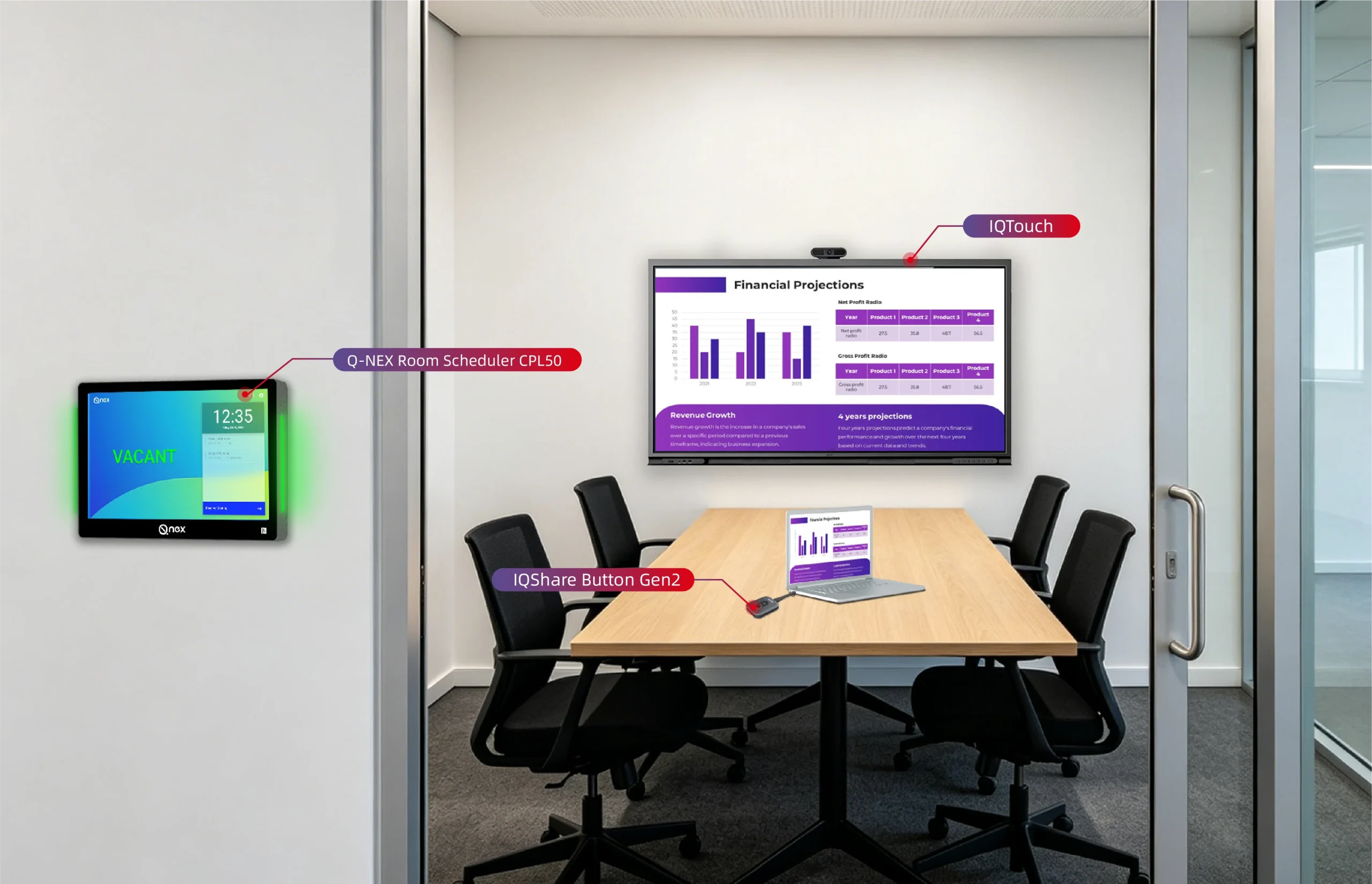
For those looking to elevate their multimedia presentations, Q-NEX offers a range of advanced products that can enhance the quality and impact of your presentations. Visit Q-NEX to explore their solutions, including high-definition displays, interactive touchscreens, and cutting-edge audio systems that can transform your presentation environment. With Q-NEX technology, you can ensure that your multimedia presentations are both impactful and seamless.
Here are some other articles that we think might interest you:
Elevate Your Boardroom Meeting with Q-NEX Networked Presentation Switcher
How to Connect Audio and Video Devices in Conferences?
How Presentation Switchers Upgrade Your Conference Room Experience?