

Table of Contents
- Quick Answer: What Does a Wireless Presentation System Do?
- Why Basic Screen Mirroring Is Not Enough for Meeting Rooms
- What to Look for in a Conference Room Wireless Presentation System
- How Q-NEX / IQShare Supports Wireless Presentation in Smart Meeting Rooms
- Where It Fits in the Meeting Room Equipment Stack
- Best Use Cases
- Buying Checklist: Questions to Ask Before Choosing a Wireless Presentation System
- Common Mistakes to Avoid
- FAQs
- Conclusion
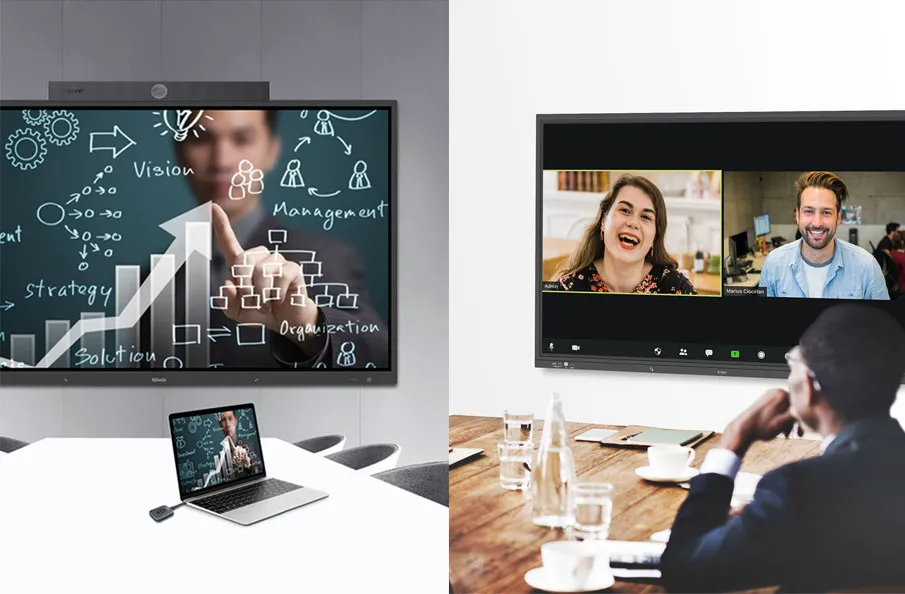
A wireless presentation system for conference rooms allows users to share content from laptops, tablets, and mobile devices to a meeting room display without relying on HDMI cables, adapters, or manual source switching. For modern meeting spaces, it is no longer just a convenience feature. It is part of the core collaboration workflow, especially when teams need fast BYOD sharing, hybrid meetings, and smoother room operation.
In a traditional room, every meeting can start with the same small delays: someone looks for the right cable, a guest does not have the right adapter, the display is on the wrong source, or a remote participant cannot see the shared content clearly. A professional wireless presentation solution helps remove these interruptions by making content sharing faster, more flexible, and easier to manage.
This guide explains what a conference room wireless presentation system does, how it differs from basic screen mirroring, which features matter for business and education environments, and how Q-NEX can support smarter meeting rooms with wireless presentation, BYOM, AV control, and centralized management.
Quick Answer: What Does a Wireless Presentation System Do?
| Capability | Why it matters |
| Cable-free sharing | Users can present from laptops, tablets, or phones without HDMI cables or adapters. |
| Cross-platform access | A good system supports common devices across Windows, macOS, iOS, Android, and Chrome OS. |
| BYOD and BYOM workflows | Users can bring their own device and, in advanced setups, use in-room cameras, microphones, and speakers wirelessly. |
| Multi-user collaboration | Several participants can share or compare content on the room display. |
| Room integration | The system can work with displays, audio, video conferencing equipment, touch control, and centralized management. |
Why Basic Screen Mirroring Is Not Enough for Meeting Rooms
Screen mirroring is useful when one person wants to show a device screen on a display. But a meeting room has more requirements than a living room or a classroom projector. Users may bring different devices, guests may need a quick way to present without joining the company network, and hybrid meetings may require both local display sharing and video conferencing device access.
That is why a wireless screen sharing setup for business meetings should be planned as part of the room system. The goal is not only to mirror a screen. The goal is to help people start meetings faster, switch presenters smoothly, compare ideas, annotate content, use room audio and video, and keep the experience consistent across multiple rooms.
If you need a deeper explanation of terminology, the existing screen mirroring vs casting vs screen sharing article should remain the definition page. This page should answer the next question: what kind of wireless presentation system should a real conference room use?
What to Look for in a Conference Room Wireless Presentation System
1. Cross-Platform Compatibility
A meeting room should not force every presenter into one device ecosystem. A reliable system should support common laptop and mobile operating systems, including Windows, macOS, iOS, Android, and Chrome OS. This matters for internal teams, visiting partners, teachers, trainers, and executives who may all bring different devices.
2. Multiple Ways to Share
Different users prefer different connection methods. Some want native mirroring. Some prefer browser-based sharing. Some use an app. Others need a one-click sharing button because they do not want to install software or configure network settings. A flexible wireless presentation solution should support these different habits instead of forcing one rigid workflow.
3. Stable Wireless Performance
Wireless sharing quality depends on network stability, latency, device compatibility, and room usage density. For busy meeting rooms, Wi-Fi 6 support and a dedicated wireless module for mirroring can improve responsiveness and reduce connection issues when multiple devices are active in the room.
4. BYOM for Hybrid Meetings
BYOM means Bring Your Own Meeting. In a BYOM meeting room, users can join a Zoom, Microsoft Teams, or other UC meeting from their own laptop while using the room’s camera, microphone, and speaker system. This is important because many teams prefer to use their own meeting account, calendar invite, and laptop, but still want professional room audio and video.
5. Multi-Screen and Multi-User Collaboration
Modern collaboration is rarely limited to one presenter. Teams may compare a spreadsheet, a product design, a website, and a video call at the same time. A strong wireless presentation system should support split-screen display, multiple connected users, and the ability to switch or compare content without restarting the meeting.
6. Touchback, Annotation, and Control
For interactive displays and training rooms, two-way interaction can be more valuable than simple content sharing. Touchback, annotation, whiteboard tools, and reverse control allow presenters and participants to interact with shared content from the room display or personal devices. This turns wireless presentation into active collaboration.
7. Moderator Control and Security
In executive rooms, classrooms, and public-sector environments, not every connected device should be allowed to take over the screen. Moderator control, connection permissions, PIN or password access, and controlled sharing help keep meetings focused and secure.
How Q-NEX / IQShare Supports Wireless Presentation in Smart Meeting Rooms
Q-NEX smart meeting room projects can include a professional wireless presentation layer built around IQShare-style collaboration workflows. Instead of treating wireless sharing as a standalone dongle, Q-NEX positions it as part of a connected meeting room system with AV control, display management, video conferencing, scheduling, meeting room automation, and centralized management.
For advanced meeting rooms, IQShare WP50 provides a wireless presentation and collaboration device designed for faster, smarter, and more stable meetings. It supports cable-free screen sharing, BYOM workflows, and flexible device connection for on-site and remote collaboration.
Key capabilities include Wi-Fi 6 wireless performance, a dedicated Miracast module for smoother Windows and Android mirroring, dual HDMI output for larger rooms or dual-display setups, PoE power, USB 3.0 for faster BYOM device connectivity, and cross-platform support across major operating systems.
For group collaboration, the system can support more than 32 connected users, up to 12 paired sharing buttons, and 16 split-screen display. Participants can present from laptops through software or a one-click button, while mobile users can share through native mirroring such as Miracast, AirPlay, or Google Cast.
Beyond basic content sharing, a Q-NEX wireless presentation solution can support real-time annotation, smart whiteboard collaboration, two-way interaction, reverse touch control, presenter moderation, and group display across multiple screens. These functions are especially useful when meetings shift from simple presentation to review, brainstorming, training, or decision-making.
Where It Fits in the Meeting Room Equipment Stack
Wireless presentation should be considered early in the meeting room equipment checklist, not added at the end as an accessory. It affects display selection, audio and video design, network planning, user experience, and room control logic.
For example, a small huddle room may need simple one-screen sharing and quick BYOD access. A boardroom may need moderator control, dual displays, and a polished guest experience. A training room may need split-screen comparison, annotation, and visibility across a larger space. A hybrid room may need BYOM so a laptop can use the room camera, microphone, and speaker system for remote participants.
When connected with a meeting room control system, wireless presentation becomes easier for users. Instead of switching between display remotes, input buttons, camera settings, and audio controls, users can operate the room through a more unified interface.
Best Use Cases
- Corporate meeting rooms where employees and guests need fast cable-free presentation.
- Boardrooms where moderator control, stable sharing, and a clean table setup matter.
- Training rooms where instructors and learners need to compare multiple screens or annotate shared content.
- Hybrid workspaces where users join meetings from their own laptops while using room audio and video devices.
- Education and public-sector rooms where IT teams need repeatable, manageable presentation workflows.
Buying Checklist: Questions to Ask Before Choosing a Wireless Presentation System
- Does it support Windows, macOS, iOS, Android, and Chrome OS?
- Can guests present without complicated setup or network access?
- Does it support both software sharing and one-click hardware button sharing?
- Can it support BYOM meetings with the room camera, microphone, and speaker system?
- Does it support multiple users, split-screen display, or dual-screen output?
- Can presenters annotate, interact with, or control shared content?
- Does it include moderator control and connection security options?
- Can it be integrated with AV control, room scheduling, automation, and centralized management?
Common Mistakes to Avoid
- Choosing a consumer casting device for a professional meeting room.
- Only checking whether screen mirroring works, instead of checking the full meeting workflow.
- Forgetting guest presenters, mobile users, and mixed operating systems.
- Ignoring BYOM requirements for hybrid meetings.
- Treating wireless presentation as separate from the Q-NEX smart meeting room solution.
FAQs
What is a wireless presentation system for conference rooms?
A wireless presentation system for conference rooms is a device or solution that lets users share content from laptops, tablets, and mobile devices to a meeting room display without HDMI cables. In professional rooms, it may also support BYOM, split-screen collaboration, annotation, touchback, and centralized management.
Is wireless presentation the same as screen mirroring?
Not exactly. Screen mirroring is one way to show a device screen on a display. Wireless presentation is broader and more meeting-room-focused. It may include mirroring, app sharing, browser sharing, hardware button sharing, multi-user display, BYOM, and integration with room AV systems.
Why is BYOM important for meeting rooms?
BYOM lets users join video meetings from their own laptops while using the room’s camera, microphone, and speakers. This creates a familiar meeting workflow while improving the audio and video quality for remote participants.
Can wireless presentation support multiple presenters?
Yes. Advanced systems can support multiple connected users, paired sharing buttons, split-screen display, and moderator control. This is useful for brainstorming, training, design reviews, and decision-making meetings.
How does wireless presentation fit into a smart meeting room?
Wireless presentation is one layer of the room. A complete smart meeting room also includes display control, audio, video conferencing, room scheduling, automation, and centralized management. Q-NEX helps connect these layers into a more consistent collaboration experience.
Conclusion
A wireless presentation system for conference rooms should do more than remove HDMI cables. It should help users share content quickly, support different devices, enable BYOD and BYOM workflows, improve collaboration, and reduce the technical friction that slows meetings down.
For organizations building smarter meeting spaces, Q-NEX can help connect wireless presentation, AV control, room scheduling, automation, and centralized management into one practical collaboration environment. With IQShare-style wireless presentation capabilities, meeting rooms become easier to start, easier to use, and easier to scale across multiple spaces.
Here are some other articles that we think might interest you:
Screen Mirroring vs Casting vs Screen Sharing: What Is the Difference
How to Enhance the Participant Experience with a Wireless Screen Share System
Meeting Room Equipment Checklist: What You Need for a Smart Conference Room


