The best meeting room booking system fits the way your office already works. Start with your calendar platform, how people reserve rooms, and the information they need at the door. Then compare the software, displays and management tools that support those needs.
For some offices, the main gap is visibility outside meeting rooms. Others need a different approval process or clearer booking rules. Defining that gap before comparing products helps you avoid paying for features that do little to improve everyday use.
Start with How Your Office Uses Meeting Rooms
Scheduled Meetings vs Ad Hoc Discussions
A weekly team meeting and a quick conversation after lunch create different booking needs. The first requires advance reservations and a reliable way to handle changes. The second needs a practical way to find an available space now.
Map both situations. Where do employees make reservations today? What happens when a meeting runs late or someone needs a room at short notice? These questions reveal whether your main problem is the booking process, visibility at the door, or both.
Shared Rooms Hybrid Teams and Training Spaces
Hybrid teams need to arrange meeting spaces before arriving at the office. People already on site need to understand the same schedule when they reach the room. A training space may also need an approval step or a way to confirm attendance.
List room types and their practical differences. Avoid treating every space as identical simply because it appears on the same floor plan. Keep video conferencing requirements separate: reserving a room does not establish whether its cameras, microphones and presentation equipment meet your needs.
Who Books Approves and Manages Each Room
Identify who can reserve each room, whether approval is required, and who maintains its information. Involve an ordinary employee alongside administrative and IT staff. A process that looks clear to an administrator may still confuse the people using it every day.
Your starting brief should include room count, room types, the existing calendar platform, booking habits and the problems you want to resolve.
Understand How Calendars Booking Software and Room Displays Fit Together
These components can work together. They are not necessarily competing alternatives, and adding a display does not always mean replacing the calendar your team already uses.
The Calendar as the Booking Foundation
A room calendar records reservations against a shared resource. If employees already use it consistently, first ask what is missing. You may need to make that schedule easier to see at the room rather than introduce a separate booking application.
Booking Software for Additional Management Needs
Additional booking software may be worth evaluating when your requirements extend beyond the current calendar workflow. Examples include specific approval arrangements or managing different shared spaces. Ask suppliers to demonstrate the functions you need instead of assuming every platform includes them.
Room Displays for Visibility at the Door
A room display brings scheduling information into the physical workplace. Depending on the solution and its operating mode, it may also support actions such as check-in or an on-site reservation.
| Component | Main role | Question to ask |
|---|---|---|
| Room calendar | Holds reservations for the space | Can we keep our existing booking workflow? |
| Booking software | Supports the management functions offered by the platform | Which functions do we actually need beyond the calendar? |
| Room display | Shows information at the entrance and supports specified interactions | What can users see and do in our chosen setup? |
Confirm how the proposed components work together. A feature available in one configuration may work differently when another calendar platform is connected.
Check the Booking Workflow and Calendar Compatibility
Where Will Employees Create and Change Bookings
Ask the supplier to walk through an ordinary reservation from start to finish. Create it, change its time, and cancel it. Identify where each action takes place and how the room display receives the update.
The phrase “calendar integration” does not tell you whether every connected interface can create or edit a booking. A clear description of the supported workflow is more useful than a broad compatibility claim.
What Should Microsoft 365 Organizations Confirm
Microsoft documents room availability and reservation handling through its room and equipment mailboxes. When evaluating a connected solution, involve the person responsible for your organization’s room calendars.
Confirm the authorization requirements, which calendar will represent each room, and where employees will continue making reservations. Also ask what meeting information appears publicly on the door display. These are purchasing decisions; detailed authorization and configuration instructions can be reviewed separately with the supplier and your IT team.
What If You Need a Separate Booking Workflow
If your office does not use Microsoft 365, ask the supplier to demonstrate its alternative scheduling workflow. Check how users reserve rooms and how administrators handle approvals or changes. Evaluate the setup you intend to deploy, rather than relying on a demonstration using a different calendar environment.
Compare the Features That Matter to Your Office

Everyday Booking and Room Visibility
Start with the tasks people repeat most often: finding a space, checking its schedule and understanding when it becomes available. At the entrance, assess whether room information is readable and status indicators are understandable.
Keep scheduled availability distinct from physical occupancy. A calendar-linked display can show a reservation in progress without detecting whether anyone is inside. If occupancy detection matters to your project, ask how the proposed solution establishes that information.
Check In Approvals and Central Management
Decide whether check-in and approvals solve a real operational problem. Then ask what happens after each action. Confirming attendance, releasing an unused reservation and unlocking a door are different functions; one should not be assumed from another.
For administrators, review how rooms and panels are managed, who handles exceptions, and how changes are maintained as rooms are added.
Privacy Reporting and Additional Automation
Discuss which meeting details should be visible to people passing the room. If reporting is important, request an example and ask what the figures measure: reservations, check-ins or actual occupancy. These answer different questions.
Use a short evaluation sheet to separate essentials from optional features:
| Area | Evidence to request |
|---|---|
| Booking workflow | A demonstration using your intended calendar setup |
| Door display | A readable schedule and an explanation of each status indicator |
| Check-in and approvals | The supported actions and what happens afterward |
| Administration | How staff manage rooms, panels and routine changes |
| Privacy | Which details are shown and which controls are available |
| Optional automation and reporting | A working demonstration, dependencies and any additional fees |
Mark each requirement as essential, useful or unnecessary for your office. Do not let a long list of extras outweigh an awkward everyday booking process.
Compare the Full Cost Not Just the Display Price
Hardware Software and Applicable Licensing
Request an itemized quote that identifies the displays, scheduling software and any applicable subscriptions or platform licenses. Ask what is included, what renews, and whether charges depend on rooms, devices, users or another unit.
Compare suppliers against the same room count and requirements. An inexpensive panel may be only one part of the proposed system, while a larger package may include services you do not need.
Installation Support and Future Expansion
Include mounting, the confirmed power and network requirements, configuration, staff familiarization and support. Ask who handles each part and what happens if a panel needs replacement.
Use the same ownership period when comparing proposals. Include recurring costs over that period and ask for the price of adding a room later. Avoid assigning savings to fewer interruptions or better space use unless you have a credible way to measure them in your own workplace.
Run a Small Pilot Before a Wider Rollout

Choose a room that reflects normal use, with employees and administrators involved in the trial. Write down the expected result for each test before starting:
- Create a reservation. Can an employee book through the intended entry point without being guided through every action?
- Change and cancel it. Does the relevant schedule update, and can users understand the result?
- Try an ad hoc meeting. Does the supported workflow suit how people find a space at short notice?
- Test required management functions. Do the check-in or approval features you requested work as expected?
- Confirm ongoing ownership. Do administrative and IT staff know how to maintain room information and obtain support?
Record anything unexpected, including confusing wording or unclear status indicators. Agree on what must be resolved before expanding. This gives you evidence from your workplace rather than a decision based solely on a sales demonstration.
When Q-NEX CPL50 Fits Your Room Booking Project
Bringing Room Schedules to the Door
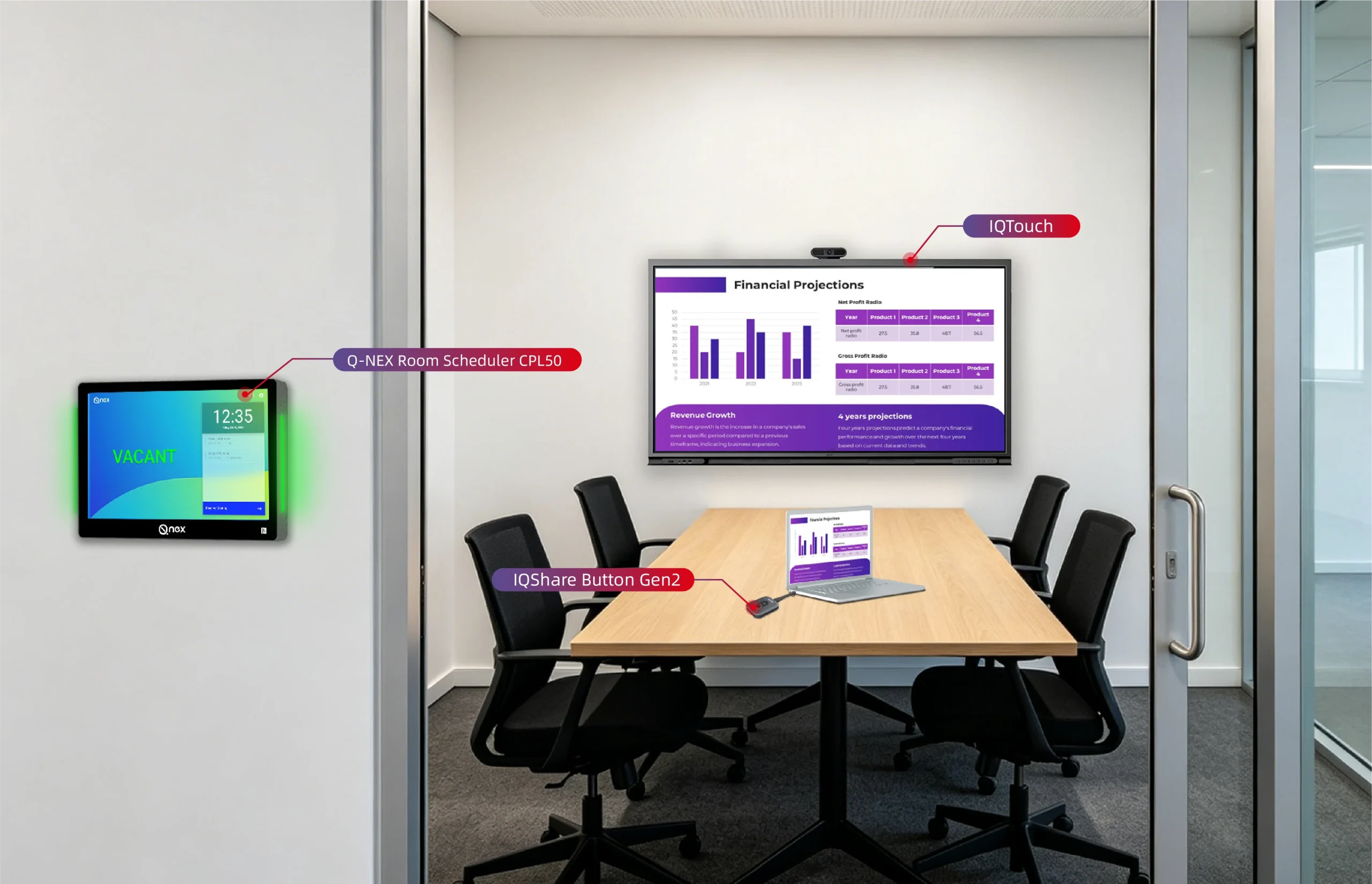
The Q-NEX CPL50 Room Scheduler is a 10-inch wall-mounted touchscreen terminal with a room-status light bar, meeting information display and QR-code check-in. It connects with Q-NEX Console for room scheduling and management.
It is worth evaluating when your project needs room schedules visible at entrances to small meeting rooms, larger conference rooms or training spaces. Where a room has multiple entrances, more than one panel can be linked to the same room schedule. This lets you consider panel placement alongside the room layout, rather than treating every doorway as a separate bookable room.
Matching CPL50 to Your Booking Workflow
For Microsoft 365-connected rooms, employees make bookings in Outlook or Teams. Once the organization’s account is authorized and the room calendar is connected, CPL50 automatically displays the schedule and meeting details at the door.
For rooms using Q-NEX scheduling without a Microsoft 365 calendar connection, users can reserve available slots for the current day directly on the panel. Q-NEX Console supports room reservations, booking approvals and calendar management in this setup.
Discuss the workflow you want to use during evaluation so the proposed solution matches your team’s daily habits.
What to Share with the Q-NEX Team
Prepare your room count and types, calendar platform, planned panel locations and deployment schedule. Add any specific approval or check-in requirements. These details help the team assess suitability and provide the relevant product documentation before you decide on the project scope.
Frequently Asked Questions
Do We Need a Separate Room Booking System If We Already Use Outlook
Not necessarily. First identify what Outlook and your current room calendars already handle. If the main problem is seeing schedules at room entrances, evaluate a compatible display solution. If you need additional management functions, assess those separately rather than replacing a familiar workflow by default.
What Is the Difference Between Room Booking Software and a Room Scheduler Display
Booking software provides the scheduling and management functions offered by its platform. A room scheduler display is the physical interface at the room, showing information and supporting the interactions available in its configuration. Check both the hardware and the connected software when comparing solutions.
Which Features Should a Small Office Prioritize
Prioritize a clear booking process, understandable availability information and straightforward administration. Add approvals, check-in or reporting when you have a specific use for them. A small room count does not remove the need to verify calendar compatibility or ongoing support.
What Should We Ask a Supplier Before Requesting a Quote
Ask which booking workflow the proposal supports, what each panel can do in that setup, what installation conditions apply, and which fees recur. Provide your room count and calendar environment so the quote reflects your project rather than a generic equipment package.
Discuss Your Room Booking Requirements
Choose a system that supports the way people reserve and use your rooms, then verify it in a representative space. If you are considering CPL50, discuss your room booking project with Q-NEX and share your room list, calendar platform and intended workflow.
Here are some other articles that we think might interest you:
Step-by-step guide to setting up a room scheduler from scratch
How Q-NEX Smart Podium Enhances Interactive Learning Experiences