Choosing audio visual equipment for schools starts with two questions: what must the teaching space do, and which existing equipment should remain? Before approving a purchase, ask the supplier to show how the proposed devices will work with that equipment, what else the installation needs, and how the agreed functions will be checked.
A list of good products is only part of that answer. Your school also needs a clear account of the connections, services and responsibilities included in the proposal. Otherwise, an attractive quotation can leave important decisions until after the equipment arrives.
This guide is for school IT teams, procurement staff and integrators reviewing an AV purchase. For the equipment categories and room-by-room requirements, start with our classroom technology equipment guide. Here, the focus is narrower: deciding whether a proposed purchase is complete, compatible and ready for approval.
Define What the Equipment Purchase Must Solve
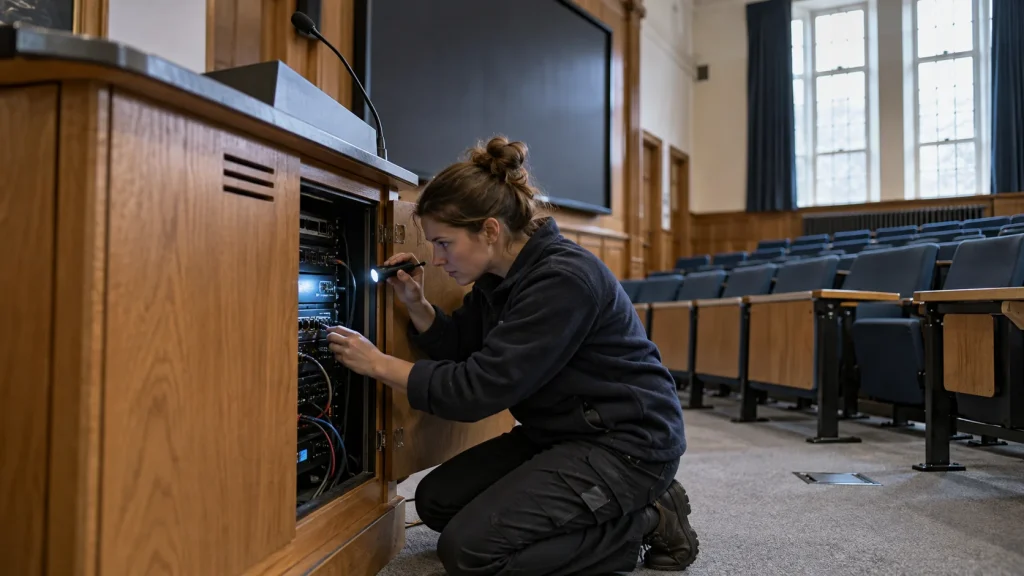
Describe the problem in terms of a normal lesson. “The teacher needs to switch between a laptop and a document camera without reconnecting cables” is a more useful starting point than “we need a modern AV system.”
Ask the people using and supporting the room to agree on the required result. A teacher may want simpler source selection. IT may need a way to support connected devices. Procurement needs to know which of those requirements the quotation actually covers.
Keep the request specific enough to demonstrate. If the lesson includes video playback, include the expected sound output. If a visiting lecturer uses a personal laptop, identify the connection route that needs checking. Separate requirements needed now from possible future additions.
This does not require a long specification for every room. A short description of the approved teaching tasks can give suppliers a common basis for their proposals. It also helps you question features that add cost without addressing the reason for the purchase.
Keep campus-wide planning separate. A purchase may need to fit future school standards, but this review should establish whether the equipment serves the named teaching spaces and their agreed tasks.
Decide What to Keep Before Choosing What to Buy
An existing display, speaker system or lectern should not be treated as either automatically suitable or automatically obsolete. Record the exact equipment and ask what evidence is needed to retain it.
Start with model numbers, available documentation and clear photographs of accessible connections. Include the teacher devices that will be used, rather than only the demonstration laptop supplied by a vendor. Record known faults and any restrictions on changing the room.
An inventory can use three practical decisions:
- Retain: the equipment remains in the proposed design, with its required functions verified.
- Verify before approval: the supplier needs to check a connection, control function, condition or installation detail.
- Replace: the proposal explains why the existing item cannot meet the agreed requirement, or why replacement is preferred.
“Retain” should refer to a specific use. A display might still be suitable for showing content, while its suitability for the proposed room-control method remains unconfirmed. Ask the supplier to distinguish those questions instead of giving a single broad compatibility assurance.
The same care applies to furniture. If the school intends to keep a lectern, confirm the usable surface, access for connections and space needed by any proposed desktop equipment. A photograph alone is not a complete installation check.
Consider a hypothetical school that wants simpler source switching but already has a serviceable display and lectern. The purchase review should first examine whether those items can remain. It should not begin by assuming that a replacement display or a new full-size podium is necessary. The answer depends on the equipment and the teaching task, not its age alone.
Ask for Evidence That the Proposed Equipment Works Together
The most useful supplier response explains how a required task will work from beginning to end. Ask for a simple connection drawing and an equipment list that identify both new and retained items.
For a laptop presentation, for example, the proposal should show where the laptop connects, how its content reaches the display, and where any required audio is heard. If teachers must switch sources from a control panel, ask which devices and commands that arrangement covers.
You do not need to become the system designer to review this explanation. The aim is to make missing items and unverified assumptions visible. For a broader explanation of the engineering involved, see what audio visual system integration involves.
Turn broad assurances into specific checks
If a proposal says “compatible with existing equipment,” ask which models were checked, which functions were covered and what remains to be tested. If it says “supports remote management,” ask which proposed devices can be managed and what network access or authorization the school must provide.
Treat these as requests for evidence, not instructions to add every possible feature. A simple room may not need remote management. A room intended for local presentations may not need the additional connections required for hybrid teaching.
Use the following table as a purchasing review aid. It is not a technical specification or a substitute for an installation assessment.
| Purchase question | Evidence to request | If it is not yet verified |
|---|---|---|
| Can the existing display remain? | Exact model, proposed connection and confirmation of the required display and control functions | Keep those functions open for assessment; do not approve a blanket compatibility claim |
| Can teachers use their normal devices? | Named device types and a demonstration of the agreed connection route | Arrange a representative test before final equipment approval |
| Does the price cover the complete connection? | Drawing and itemized list including required adapters, cables and additional devices | Ask for a revised scope showing who supplies each missing item |
| Will the proposed controls perform the required actions? | List of supported actions for the named connected devices | Separate confirmed actions from functions needing further work |
| Are network-dependent functions included? | Stated dependencies, school responsibilities and any required services | Ask IT and the supplier to resolve the conditions before relying on those functions |
| How will the school check the finished result? | Agreed demonstrations using the proposed equipment and normal teaching tasks | Define the checks before treating the proposal as ready |
Review the exact configuration
A successful demonstration is useful when it represents what your school will receive. Ask whether the model, accessories, connection path and relevant software configuration match the quotation.
Where they differ, record the difference. A demonstration using another display or an extra device may help explain the concept, but it does not settle compatibility with the retained equipment in your room.
Ask the supplier to identify unresolved items plainly. A proposal can still be worth considering when an assessment is outstanding, provided the school knows what must be checked, who will check it and when the purchasing decision can be finalized.
Compare AV Proposals on the Same Scope
Before comparing totals, make sure the quotations cover the same result. One may include equipment only. Another may include installation, configuration and a demonstration of the completed teaching workflow.
Give each supplier the same retained-equipment inventory and requirements. Ask them to separate included items, options, exclusions and assumptions. This makes it easier to understand a price difference without assuming that the cheaper proposal is incomplete or the more expensive one is better.
Pay particular attention to work that happens between delivery and use. Who provides the connecting cables? Who configures the controls? Who checks the retained display? Who gives staff the information needed to operate the finished room?
A useful clarification request is: “Please show which quoted items and services deliver each required teaching task, and identify anything the school must supply.” That question ties the quotation to a result without dictating a particular brand or architecture.
Options should remain visibly separate. If recording is a possible future requirement, ask whether the current proposal includes it, merely allows for later assessment, or needs additional equipment. Do not treat a future possibility as a delivered function.
Also clarify proposed substitutions. If an item becomes unavailable, request a review of the replacement against the agreed functions and connections. Similar names or specifications are not enough evidence for the school to assume the complete arrangement is unchanged.
The goal is an understandable scope, not the longest quotation. A concise proposal can be sufficient when its included equipment, responsibilities and remaining conditions are clear.
Make Acceptance and Support Part of the Purchase

Agree how the school will check the promised functions before committing to the final scope. Keep those checks tied to the requirements rather than asking for an impressive demonstration of unrelated features.
For source switching, a useful check might be a teacher selecting the agreed laptop and document camera in turn, with the intended content appearing on the classroom display. If audio is part of that task, include it in the demonstration.
Use the school’s normal devices and materials where practical. The person checking the result should understand which tasks were promised and which were outside the purchase. Record outstanding issues separately instead of allowing “installation complete” to stand in for “all required functions demonstrated.”
Agree how changes will be handled. If the supplier recommends replacing an item originally marked for retention, ask for the reason, the effect on the scope and any further checks required. Keep the final equipment record consistent with the delivered arrangement.
Support also needs a named route. Ask whom staff contact when an agreed function stops working, what information they should provide and how issues involving retained equipment will be assessed. Confirm the applicable support terms directly; do not infer them from a general statement about product reliability.
For day-to-day users, request a short guide to the actual classroom controls. For IT, identify the equipment and configuration records needed for support. These are different audiences, and one generic brochure may not answer both.
This section is about agreeing the evidence and responsibilities before purchase. The detailed installation and deployment checks belong in the classroom equipment selection and deployment checklist.
Discuss Your Existing Classroom Setup with Q-NEX
For Q-NEX projects, the equipment already in the room can change the appropriate starting point. Retaining a lectern and adding a desktop teaching station is a different requirement from replacing the entire lectern.
The Q-NEX Desktop Digital Podium NDP600 is designed for spaces with an existing lectern or suitable desktop. It brings an interactive pen display, AV switching, device control, audio processing and a built-in computer into a desktop unit.
That makes it relevant to a particular purchasing question: does the school need those integrated functions while retaining its teaching furniture? It is not a reason to assume that every existing display, microphone or connection can be reused without checking.
When discussing this option, identify which functions the school wants the new unit to provide and which existing equipment will remain. Ask for the proposed connections and any additional equipment or work required. This is more useful than comparing a desktop podium with a full-size lectern on product name alone.
The Q-NEX Smart Classroom Solution is the next step when the requirement involves coordinating several classroom devices. Bring a room inventory and a short description of the teaching tasks so the discussion can focus on the proposed arrangement.
Useful information includes the room type, existing equipment models, accessible connection photographs, teacher-device requirements and any furniture that must remain. Note which functions are essential now and which are being considered for later.
Discuss your school’s AV equipment requirements with Q-NEX to review the proposed scope and the information needed for an equipment compatibility assessment.
Frequently Asked Questions
Can schools keep existing AV equipment when upgrading?
Yes, when its condition and required functions suit the proposed arrangement. Record the exact models and ask the supplier to verify the relevant connections and operation. Keep unresolved items marked for assessment rather than treating all retained equipment as already compatible.
Does having the same connector guarantee compatibility?
Do not use the connector alone as approval evidence. Ask the supplier to confirm the required function through the proposed connection and demonstrate it with representative equipment. The purchasing question is whether the complete teaching task works, not simply whether a cable can be attached.
What should an AV supplier include in a school equipment proposal?
Request an itemized scope, identification of retained equipment, a connection explanation and the services needed to deliver the agreed tasks. Options, exclusions, school responsibilities and unresolved checks should be visible. Agree how the completed functions will be demonstrated and how support will be handled.
Should schools choose separate devices or an integrated teaching station?
Compare both against the same requirements and existing equipment. Separate devices may fit a targeted addition, while an integrated station may suit a requirement to bring several teaching functions together. For either approach, check what is included, what must connect externally and how the school will operate and support the finished arrangement.
Here are some other articles that we think might interest you: