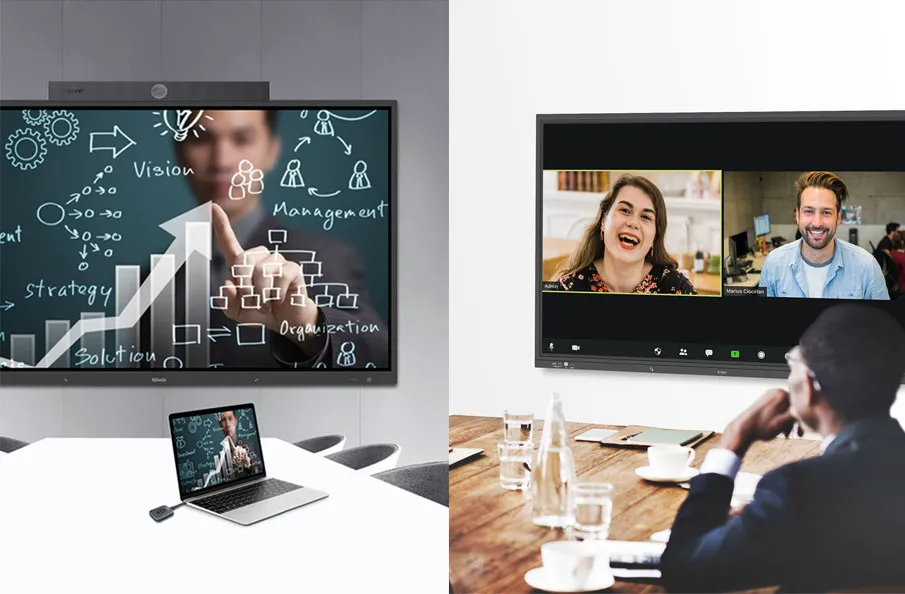
Introduction
Building a smart meeting room is not simply a matter of buying a display, adding a camera, and placing a wireless sharing device on the table. Many meeting rooms fail because the technology is selected device by device instead of being planned as one connected collaboration system.
A smart meeting room should help people start meetings faster, share content more easily, communicate clearly with remote participants, and allow IT teams to manage devices across multiple spaces. To achieve that, organizations need to think about room purpose, layout, AV equipment, control systems, scheduling, automation, and centralized management from the beginning.
This guide explains how to build a smart meeting room step by step. You will learn how to define the room scenario, plan the technology stack, choose the right equipment, design a simple user experience, and build a scalable smart meeting room solution for modern collaboration.
What Is a Smart Meeting Room?
A smart meeting room is a meeting space where audiovisual technology, video conferencing, wireless presentation, room control, scheduling, automation, and centralized management work together as one integrated system.
Unlike a traditional meeting room, where each device may operate separately, a smart meeting room is designed around the user workflow. Participants should be able to enter the room, start the meeting, share content, adjust audio or video, and collaborate with remote teams without struggling with cables, remotes, or disconnected devices.
A smart meeting room normally includes several layers of technology:
- A collaboration layer for video conferencing, BYOM, wireless presentation, and content sharing.
- An AV layer for displays, cameras, microphones, speakers, and signal processing.
- A control layer for source switching, display control, audio adjustment, room modes, and touch panel operation.
- A scheduling and automation layer for room booking, device startup, energy saving, and meeting scene presets.
- A management layer for remote monitoring, centralized configuration, and multi-room maintenance.
If you are new to the broader technology landscape, you can also read the Q-NEX pillar guide: Meeting Room Technology: The Complete Guide to Modern Collaboration

Step 1. Define the Purpose of the Meeting Room
Before choosing equipment, define what the room is supposed to support. A huddle room, executive boardroom, training room, and large conference space do not need the same technology design.
Start by answering a few practical questions:
- Will the room be used mainly for in-person meetings, hybrid meetings, remote video calls, presentations, training, or customer demonstrations?
- How many people will typically use the room?
- Will users bring their own laptops, or will the room have a fixed computer or conferencing device?
- Does the room need one display, dual displays, an interactive flat panel, or a larger multi-screen setup?
- Will the IT team need to manage multiple rooms from a central platform?
- Does the organization need room scheduling, usage visibility, or energy-saving automation?
This first step matters because a smart meeting room should be designed around real collaboration scenarios, not just equipment specifications. When the room purpose is clear, the technology choices become much easier.
Step 2. Plan the Room Layout and User Experience
Smart meeting room design should make technology feel simple. The placement of displays, cameras, microphones, speakers, touch panels, and table connections directly affects how comfortable and effective the room feels.
For layout planning, consider the following areas:
- Seating layout: Make sure every participant can see the display and be captured clearly by the camera.
- Display position: Place displays at a comfortable viewing height and distance. For hybrid meetings, dual displays may help separate video participants from shared content.
- Camera coverage: Choose a camera position that captures participants naturally, especially in boardrooms or training rooms.
- Microphone pickup: Audio quality is often more important than video quality in hybrid meetings. Plan microphone coverage before the room is built.
- Speaker placement: Ensure in-room participants can hear remote speakers clearly without echo or uneven volume.
- Control panel location: Place the touch panel or control interface where users naturally start the meeting.
- Cable and device access: Reduce visible cable clutter and make guest device connection simple.
A well-designed smart conference room setup should reduce friction. Users should not need to ask which remote to use, which cable to connect, or which device controls the display.
Step 3. Choose the Core Smart Meeting Room Equipment
Once the room purpose and layout are clear, choose the equipment stack. This article does not replace a full equipment checklist, but the following categories are usually essential for a smart meeting room setup.
Display or Interactive Flat Panel
The display is the visual center of the room. Depending on the room type, organizations may use a commercial display, interactive flat panel, dual displays, or a larger display wall. Interactive displays are useful for brainstorming, training, and collaborative sessions.
Conference Camera
For hybrid meetings, the camera should match the room size and seating layout. Small rooms may use a wide-angle camera, while boardrooms and training rooms may require PTZ cameras, speaker tracking, or auto-framing features.
Microphones and Speakers
Clear audio is critical. Microphone and speaker choices should be based on room size, ceiling height, seating arrangement, and whether participants need to move around during the meeting.
Wireless Presentation System
Wireless presentation allows users to share content from laptops, tablets, or smartphones without searching for adapters or switching cables. It is especially helpful for guest presenters, BYOD scenarios, and fast team collaboration.
Meeting Room Control System
A meeting room control system connects displays, audio, video, source switching, lighting, and other room devices into a single user interface. It is one of the most important layers in a smart meeting room because it turns a complex technology stack into a simple meeting workflow.
Room Scheduler
A room scheduler helps users see room availability, reserve spaces, check in, and reduce booking conflicts. For multi-room workplaces, scheduling is also useful for understanding room utilization and improving space management.

Centralized Management Platform
For organizations managing multiple meeting rooms, centralized management allows IT teams to monitor device status, update settings, troubleshoot issues, and standardize room experiences from one platform.
Step 4. Build Around a Meeting Room Control System
Many meeting room problems come from disconnected devices. A display may work well, a camera may work well, and a wireless presentation device may work well, but users still struggle if every device needs to be operated separately.
A meeting room control system solves this problem by creating a central control experience. With one touch panel or control interface, users can start the room, turn on displays, select input sources, adjust volume, switch camera views, control lighting, and activate meeting modes.
A strong control system should support:
- One-touch meeting startup
- Display and projector control
- Audio volume and mute control
- Camera control and presets
- Source switching for laptops, wireless presentation, media players, or conferencing devices
- Lighting, curtains, and environmental control when needed
- Preset modes such as presentation mode, video conference mode, training mode, or standby mode
This is where the smart meeting room becomes more than a collection of devices. It becomes an integrated room experience.
Q-NEX smart meeting room solutions can integrate AV control, wireless presentation, touch panel operation, scheduling, and centralized management into a connected platform, helping organizations reduce operational complexity and improve meeting efficiency.
Step 5. Support Hybrid Collaboration
Hybrid collaboration is one of the main reasons organizations upgrade meeting rooms. A room may look modern, but if remote participants cannot hear clearly, see participants properly, or follow shared content, the meeting experience is still poor.
To support hybrid meetings, plan for these requirements:
- Reliable video conferencing compatibility
- Clear microphone pickup for all in-room participants
- Speaker coverage that avoids echo and uneven sound
- Camera framing that works for the room size
- Wireless presentation for quick content sharing
- BYOM support when users bring their own meeting devices or conferencing accounts
- A simple control interface so users do not need IT support to start a call
Hybrid meeting room setup should focus on consistency. Whether a user enters a huddle room, boardroom, or training room, the meeting workflow should feel familiar and predictable.

Step 6. Add Room Scheduling and Automation
A smart meeting room should not only support the meeting itself. It should also support what happens before and after the meeting.
Room scheduling helps users find and book available rooms. A scheduling display outside the room can show room status, upcoming reservations, and check-in options. This reduces booking conflicts and helps organizations use meeting spaces more efficiently.
Automation can improve the experience even further. For example, the system can prepare the room before a scheduled meeting, turn on the display, activate selected devices, adjust lighting, or switch the room into the correct mode. After the meeting, devices can return to standby or shut down automatically to save energy.
Common smart meeting room automation features include:
- Scheduled device startup and shutdown
- Room availability display
- Calendar integration
- QR code check-in
- Occupancy and utilization insights
- Energy-saving automation
- Automatic room mode presets
Step 7. Plan for Centralized Management
A single smart meeting room can improve one team meeting experience. A centrally managed smart meeting room system can improve collaboration across an entire office, enterprise, campus, or multi-location organization.
Centralized management is especially important when IT teams need to manage many rooms with similar technology. Instead of checking each room manually, administrators can monitor device status, update configurations, schedule maintenance, and identify issues remotely.
For B2B decision-makers, centralized management can bring several long-term benefits:
- Reduced onsite troubleshooting
- More consistent meeting room experiences
- Faster deployment of new rooms
- Better visibility into device health
- Improved energy and maintenance efficiency
- Easier scaling across departments, offices, or campuses
When planning a smart meeting room, consider not only the first room, but also what happens when the organization wants to expand to ten, twenty, or hundreds of rooms.
Step 8. Choose a Scalable Smart Meeting Room Solution
After planning the room purpose, layout, equipment, control, scheduling, and management requirements, the final step is choosing a solution that can connect these pieces together.
A scalable smart meeting room solution should be evaluated based on:
- Compatibility with existing AV and conferencing devices
- Ease of daily operation for non-technical users
- Support for wireless presentation and hybrid collaboration
- Centralized device management and monitoring
- Room scheduling and automation capabilities
- Deployment flexibility across different room types
- Future expansion and integration potential
- Long-term total cost of ownership
The best solution is not always the one with the most devices. It is the one that makes collaboration easier, reduces management complexity, and supports the organization as meeting needs change.
Common Smart Meeting Room Setup Mistakes
When organizations build smart meeting rooms, several common mistakes can reduce the value of the investment.
Buying Devices Before Defining Room Scenarios
Technology should follow the meeting scenario. If the room purpose is unclear, the equipment stack may become expensive but difficult to use.
Ignoring Audio Coverage
Poor audio can ruin hybrid meetings even when the display and camera are excellent. Microphone and speaker planning should happen early.
Relying on Too Many Remotes and Cables
A room is not truly smart if users still need multiple remotes, adapters, and manual device switching. Control and wireless presentation should simplify the experience.
Skipping Centralized Management
A room may work well on day one, but maintenance becomes difficult without centralized monitoring, standard configuration, and remote management.
Failing to Standardize Rooms
If every room works differently, users need to relearn the technology each time. Standardized interfaces and room templates improve adoption.
How Q-NEX Helps Build Smart Meeting Rooms
Q-NEX helps organizations build smart meeting rooms by connecting AV control, wireless presentation, scheduling, automation, and centralized management into one integrated solution.
Depending on the room type and project requirements, a Q-NEX smart meeting room can include the Networked Media Processor, Networked Presentation Switcher, Touch Panel, Room Scheduler CPL50, and Q-NEX centralized management platform. Together, these components help create a simpler meeting experience for users and a more manageable infrastructure for IT teams.
For a huddle room, the focus may be fast wireless sharing and simple display control. For a boardroom, the focus may be premium presentation, audio and video control, and executive-level reliability. For training rooms or multi-room deployments, centralized management and scalable AV control become more important.
Instead of treating meeting room technology as separate devices, Q-NEX helps organizations design it as a connected collaboration system.
Frequently Asked Questions
What do you need to build a smart meeting room?
To build a smart meeting room, you typically need a display or interactive flat panel, conference camera, microphones, speakers, wireless presentation system, meeting room control system, room scheduler, and centralized management platform. The exact setup depends on room size, meeting type, and management requirements.
How do I set up a smart conference room for hybrid meetings?
Start by planning camera coverage, microphone pickup, speaker placement, display layout, wireless presentation, and video conferencing compatibility. Then add a control system so users can start meetings, switch sources, and manage devices from one interface.
What is the difference between a smart meeting room and a traditional meeting room?
A traditional meeting room often uses separate devices that operate independently. A smart meeting room integrates AV, conferencing, wireless sharing, control, scheduling, automation, and centralized management into a connected collaboration environment.
What equipment is needed for a smart meeting room?
Common equipment includes displays, cameras, microphones, speakers, wireless presentation devices, AV processors or presentation switchers, touch panels, room schedulers, and management software. For larger deployments, centralized monitoring and remote management are also important.
Why is a meeting room control system important?
A meeting room control system simplifies operation by allowing users to control displays, audio, video, source switching, lighting, and room modes from a single interface. It helps meetings start faster and reduces support requests.
Can smart meeting rooms be managed centrally?
Yes. With a centralized management platform, IT teams can monitor devices, adjust settings, troubleshoot issues, manage schedules, and standardize meeting room experiences across multiple rooms or locations.
How can Q-NEX help build a smart meeting room?
Q-NEX provides smart meeting room solutions that integrate AV control, wireless presentation, room scheduling, automation, and centralized management. This helps organizations create meeting spaces that are easier to use, easier to manage, and easier to scale.
Conclusion
A smart meeting room should be planned as an integrated collaboration system, not as a collection of separate devices. The process starts with understanding the room purpose, then planning the layout, equipment, control system, hybrid collaboration features, scheduling, automation, and centralized management.
By building around a connected technology architecture, organizations can create meeting spaces that start faster, work more reliably, support hybrid teams, and remain easier for IT teams to manage over time.
Here are some other articles that we think might interest you:
What Is Q-NEX Smart Meeting Room Solution
Meeting Room Control Systems Explained
The Difference between Wireless Screen Sharing Screen Mirroring and Screen Casting