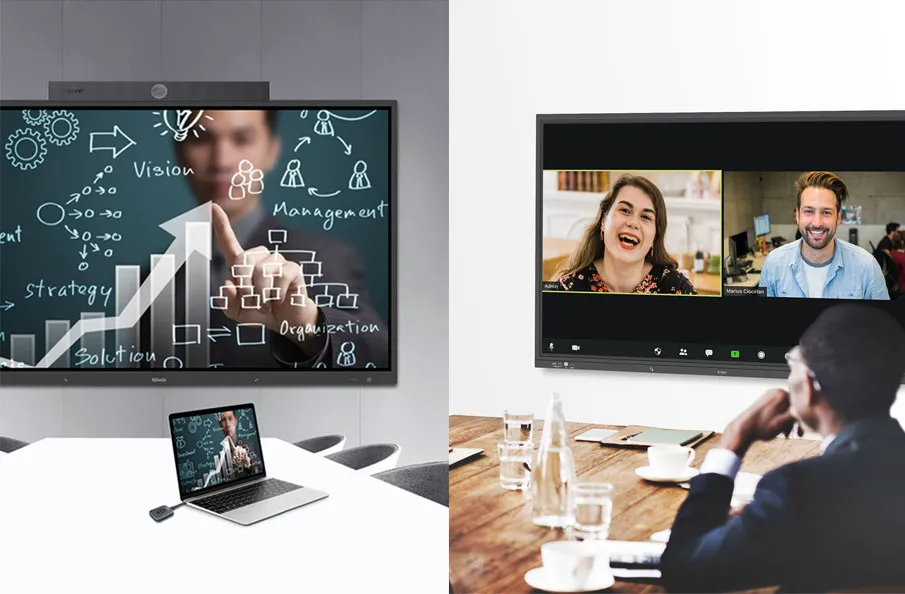
Exploring the Impact of Q-NEX Collaborative Learning Solution and Key Tools on Seamless Interaction and Dynamic Learning Environments
1. Transforming Learning: The Impact of Collaborative Tools
Collaborative tools are changing traditional learning methods in education’s dynamic landscape. This evolution emphasizes the importance of interactive and collaborative approaches in fostering a richer educational experience.
1.1 Definition and Significance of Collaborative Learning
Collaborative learning, also known as group learning or cooperative learning, is an educational approach where students work together in small groups to achieve common learning objectives. This method emphasizes active participation, interaction, and cooperation among group members. It aims to enhance their understanding of a subject or collectively solve problems. Collaborative learning goes beyond traditional knowledge transmission and focuses on fostering students’ comprehensive skills and abilities.
1.2 Challenges of Modern Collaborative Learning
Traditional teaching methods are proving inadequate in the face of an increasingly complex and rapidly changing knowledge landscape. The educational system must prioritize fostering teamwork, communication, and innovation to meet the needs of students for practical and applicable skills. However, effective collaborative learning is challenging due to limited teaching resources and disciplinary differences.

1.3 Crucial Role of Collaboration Tools
To overcome these challenges in modern collaborative learning, collaboration tools are essential. These tools allow students to collaborate in teams, share ideas, and solve problems more efficiently, developing a wider range of skills during the learning process. Integrating advanced collaboration tools can encourage active student participation, enhance teaching effectiveness, and better address the challenges of modern education. Therefore, it is crucial to explore in detail the key role of collaboration tools in this context.
2. Classification of Key Tools for Collaborative Learning
Collaborative learning is important. Let’s explore the tools that make it possible. This section categorizes key tools for effective collaborative learning, from real-time communication to interactive collaboration.
2.1 Real-time Communication Tools
Real-time communication tools are essential for collaborative learning spaces. They allow team members to interact and share information seamlessly. These tools not only facilitate instant communication but also lay the foundation for dynamic collaboration. This fosters an environment where ideas flow freely, and teamwork flourishes.
2.1.1 Slack
Slack is a real-time communication platform that provides a convenient way for teams to communicate instantly, facilitating information sharing and collaboration.
2.1.2 Microsoft Teams
Teams, integrated with Microsoft Office 365, offers instant messaging, file sharing, and online meetings, making it a comprehensive platform for team collaboration.
2.2 Project Management Tools
Project management tools are the organizational lynchpin that enables teams to efficiently plan, track tasks, and collaborate seamlessly. These tools streamline project workflows, increasing overall productivity and contributing to the success of collaborative efforts.
2.2.1 Trello
Trello is a platform for card-based task management. It is intuitive and flexible, allowing teams to track project progress and collaborate on task assignments.
2.2.2 Asana
Asana is a comprehensive project management tool that helps teams plan, track tasks, and collaborate, ultimately improving overall work efficiency.
2.3 File Sharing and Storage Tools
File sharing and storage tools are essential for facilitating smooth collaboration among team members. Google Drive is a cloud storage service that provides a secure and efficient platform for sharing, editing, and synchronizing documents in real-time.
2.3.1 Google Drive
As a cloud storage service, Google Drive makes it easy to share and collaborate on files, and real-time syncing ensures that teams have access to the latest versions.
2.3.2 Dropbox
Dropbox makes it easy for teams to share large files and collaborate seamlessly across devices. Its robust file sync and share capabilities facilitate efficient teamwork.
3. Crucial Tools for Team Collaboration
Our focus is on the Q-NEX Collaborative Learning Solution, the tool for team collaboration. This innovative solution fosters a collaborative environment in educational settings by providing convenient two-way screen sharing and control capabilities. It is a catalyst for seamless interaction.
3.1 Q-NEX Collaborative Learning Solution
The Q-NEX solution takes center stage in team collaboration. Q-NEX facilitates the exchange of visual content and empowers educators and students to navigate interactive learning experiences with enhanced control and engagement.
3.1.1 Enhanced Collaboration with Q-NEX
Educators and students can share and control screens seamlessly, fostering deeper interaction in the classroom and creating an environment conducive to effective and engaging learning experiences.
3.2 Tools for Student Group Interaction and Collaboration
When discussing tools for student group interaction and collaboration, we emphasize the role of Q-NEX Collaborative Learning Solution. Q-NEX is a dynamic platform that promotes efficient teamwork and communication within student groups, enhancing the overall collaborative learning experience.
3.2.1 Q-NEX: Facilitating Effortless Interaction among Students
Q-NEX facilitates group discussions by allowing each student to effortlessly present personal content. Efficient teamwork is promoted and physical movement within the group is eliminated, contributing to a seamless collaborative learning process.
3.3 Cross-group Communication with Q-NEX
Q-NEX facilitates cross-group communication between teachers and students, enabling the capture and sharing of group work, fostering seamless communication and constructive feedback across different groups. Ultimately, Q-NEX enriches the interactive and learning experience for both educators and students.

3.3.1 Q-NEX: Enabling Cross-group Communication
Teachers use Q-NEX to capture and share group work on a large screen, improving cross-group communication. This feature enhances interaction and elevates the overall learning experience for students, showcasing the comprehensive capabilities of the Q-NEX Collaborative Learning Solution.
4. Features Facilitating Learning
To enhance the learning experience, we will discuss the versatile functionalities that these tools offer. They support a comprehensive and adaptive approach to both synchronous and asynchronous learning. These features encourage critical thinking, foster healthy competition, and provide convenient avenues for screen sharing and interaction. They contribute to a more engaging and effective educational environment.
4.1 Support for Synchronous and Asynchronous Learning
These tools offer flexibility, allowing teams to choose between synchronous and asynchronous learning to cater to different learning styles and schedules.
4.2 Encouragement of Critical Thinking and Group Competition
They promote in-depth learning and the cultivation of comprehensive skills by inspiring competition and critical thinking among teams.
4.3 Convenient Screen Sharing and Interaction
The tools are user-friendly, making screen sharing and interaction a seamless and enjoyable part of the learning process.
5. Practical Applications
Let’s explore practical applications. Collaborative tools and solutions can shape tangible and effective learning experiences in real-world scenarios.
5.1 Seamless Screen Sharing in Classroom Instruction
Effortless screen sharing is useful in the classroom. Educators can transmit content wirelessly, making presentations more dynamic and engaging. This application improves the teaching experience and stimulates active student participation and comprehension.
5.2 Streamlined Student Group Interaction and Collaboration
In student groups, these tools facilitate efficient interaction and collaboration by providing a platform for each member to showcase individual content easily. This eliminates the need for physical movement within groups. It maximizes collaboration effectiveness and ensures a smooth exchange of ideas.
5.3 Facilitating Teacher-Student Communication and Feedback
These tools enable communication and feedback between teachers and students. Educators can capture group work and share it on a larger screen. This enhances overall student engagement and allows for proactive and constructive discussions. It provides valuable insights for both educators and learners.
In conclusion, collaborative tools are significant in fostering team collaboration and enhancing learning outcomes. These tools provide real-time communication and streamlined project management, establishing an environment where collaboration becomes a cornerstone of effective and enriched learning experiences.
Here are some other articles that we think might interest you:
The Future of Learning: Q-NEX Collaborative Learning Solution in the Classroom
Exploring Collaborative Learning Solutions
Q-NEX Collaborative Learning Solution Empowering Engaged Group Learning