Revolutionizing Device Compatibility, Network Connectivity, and Security for Seamless BYOD Experiences
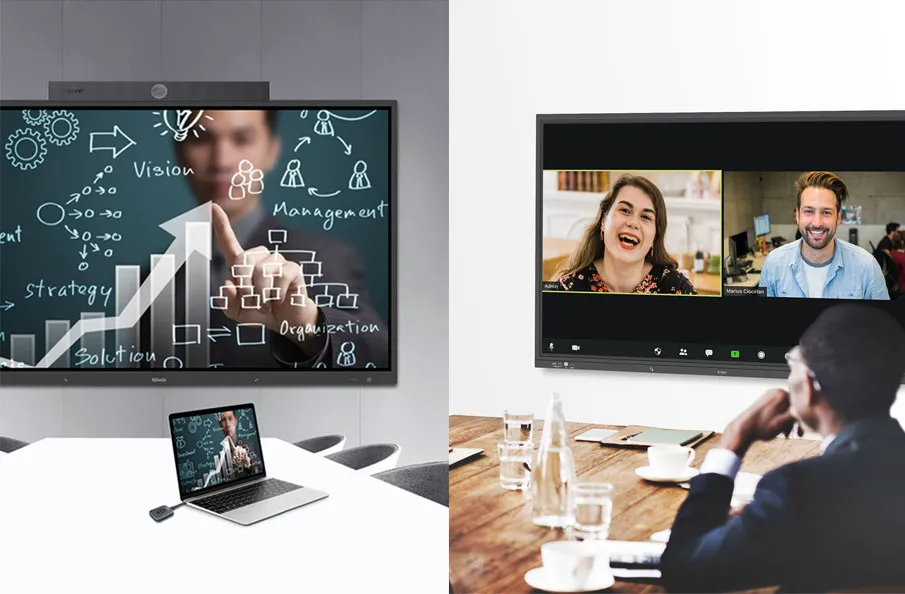
In the rapidly evolving landscape of meeting technology, the widespread adoption of Bring Your Own Device (BYOD) has emerged as a significant trend. This practice provides employees with increased flexibility and convenience. However, along with the convenience, enterprises face challenges such as device compatibility, network connectivity, and security, necessitating robust technological solutions to elevate the quality of BYOD meetings.
BYOD refers to the practice of employees using their personal devices, including laptops, tablets, and smartphones, for work-related activities. This practice has introduced convenience to meeting rooms but is accompanied by a series of challenges.
The integration of BYOD brings enhanced flexibility to meetings, allowing employees to effortlessly use their devices, thereby promoting collaboration and interactivity.

1. Challenges in BYOD Meeting Quality
As we explore the landscape of BYOD meetings, it becomes essential to address the associated challenges to enhance the overall meeting quality.
1.1 Device Compatibility
In the landscape of BYOD meetings, device compatibility emerges as a critical challenge, as the integration of diverse devices demands careful attention to ensure a smooth and effective meeting experience.
1.1.1 Challenges of Compatibility with Different Devices
Diverse brands, models, and operating systems may pose compatibility issues, impacting the smooth flow of meetings.
1.1.2 Various Operating Systems and Platform Issues Introduced by BYOD
BYOD involves multiple operating systems and platforms, necessitating solutions to address compatibility concerns across different systems.
1.2 Network Connectivity and Bandwidth
In the landscape of BYOD meetings, ensuring device compatibility is a pivotal concern, grappling with the intricacies of diverse devices, operating systems, and platforms to deliver a seamless collaborative experience.
1.2.1 Importance of High-Quality Network
A stable and high-quality network connection is fundamental to supporting BYOD meetings, ensuring efficient transmission of video and audio.
1.2.2 Bandwidth Issues Arising from a Large Number of Device Connections
Simultaneous connections of numerous devices may lead to insufficient network bandwidth, affecting the quality of meetings.
1.3 Security Issues
Navigating the BYOD meeting terrain, security issues emerge as a paramount challenge, demanding robust solutions to safeguard networks, data, and privacy amidst the diverse array of devices accessing the meeting environment.
1.3.1 Challenges BYOD Poses to Meeting Room Network Security
The connection of external devices may introduce potential network security risks, requiring measures to ensure data and privacy security.
1.3.2 Ensuring Data and Privacy Security
Implementing adequate security measures in a BYOD environment to prevent data leaks and privacy concerns.

2. Q-NEX Networked Presentation Switcher NPS100 Solutions
Addressing the complexities of BYOD meetings, the Q-NEX Networked Presentation Switcher NPS100 provides tailored solutions, revolutionizing device compatibility, network connectivity, and security aspects.
2.1 Product Overview
Introducing the Q-NEX Networked Presentation Switcher NPS100, a cutting-edge solution addressing BYOD meeting challenges with its advanced features, ensuring seamless connectivity and optimal performance in diverse scenarios.
2.1.1 Core Features of NPS100
The Q-NEX NPS100 is a 4K60Hz 4:4:4 2X2 HDMI BYOD&BYOM presentation switcher, meticulously designed to enhance the quality of BYOD meetings. It facilitates the streamlined transmission of 4K video and audio signals while integrating control signals, providing a holistic solution for meeting rooms.
2.1.2 Enhancing BYOD Meeting Quality with NPS100
Q-NEX NPS100, through its outstanding features such as the 2×2 matrix switcher and KVM functionality, delivers an efficient meeting experience. Its support for connecting and switching various devices caters to the diverse needs of different participants.
2.2 Solutions for Device Compatibility
With a robust design, the Q-NEX NPS100 excels in providing solutions for device compatibility, offering versatile support for multiple devices, regardless of operating systems, ensuring a smooth BYOD meeting experience.
2.2.1 NPS100’s Support for Multiple Devices
Q-NEX NPS100 boasts extensive compatibility, effortlessly connecting various devices, from laptops to smartphones, mitigating concerns related to device compatibility.
2.2.2 NPS100’s Approach to Compatibility Issues Across Different Operating Systems
Its design considers the use of multiple operating systems, ensuring compatibility with Windows, macOS, Android, and other systems, enabling a seamless experience for users on different platforms.
2.3 Solutions for Network Connectivity and Bandwidth
With a focus on enhancing device compatibility, the Q-NEX Networked Presentation Switcher NPS100 provides robust support for multiple devices, ensuring a seamless and integrated BYOD meeting environment.
2.3.1 NPS100’s High-Speed Data Transfer Capability
Q-NEX NPS100 features high-speed data transfer capabilities, optimizing data streams to ensure the high-quality transmission of video and audio, enhancing overall network efficiency.
2.3.2 Effectively Utilizing NPS100 to Optimize Network Connectivity
Its intelligent data management and optimization features effectively prevent bandwidth issues resulting from a large number of device connections, ensuring smooth meetings.
2.4 Security Solutions
The Q-NEX Networked Presentation Switcher NPS100 provides robust security solutions, ensuring the safety of meeting room networks and protecting sensitive data during BYOD sessions.
2.4.1 Security Features of NPS100
Q-NEX NPS100 incorporates advanced security technologies, including data encryption and access control, ensuring the security of the meeting room network.
2.4.2 Utilizing Q-NEX NPS100 to Ensure BYOD Meeting Security
Leveraging the security features of NPS100 allows enterprises to confidently embrace BYOD, mitigating potential data leaks and privacy concerns.

3. Maximizing the Use of Q-NEX NPS100 to Improve BYOD Meeting Quality
Maximizing the use of the Q-NEX NPS100 is crucial for enhancing BYOD meeting quality, encompassing optimal device configurations, network settings, and personnel training to ensure a seamless and efficient meeting experience.
3.1 Following Best Practices
Following best practices is integral to unlocking the full potential of the Q-NEX NPS100, encompassing meticulous device setup, strategic network configurations, and adherence to recommended guidelines, ensuring an optimized BYOD meeting environment.
3.1.1 Device Setup Recommendations
Providing optimal setup recommendations for Q-NEX NPS100 to ensure peak performance across different scenarios.
3.1.2 Best Practices for Network Configuration
Introducing best practices for network configuration with Q-NEX NPS100, ensuring efficient network connectivity and enhancing the overall meeting experience.
3.2 Personnel Training
An effective training program empowers users to navigate the presentation switcher seamlessly, contributing to enhanced BYOD meeting experiences.
3.2.1 Introduction to Q-NEX NPS100 Training Programs
Offering training programs for enterprises to ensure employees are proficient in operating the Q-NEX NPS100, maximizing its functionalities.
3.2.2 Providing FAQs
Assisting users in quickly resolving issues encountered during the use of NPS100 by providing frequently asked questions.
In conclusion, as BYOD continues to shape the meeting landscape, leveraging solutions like the Q-NEX NPS100 becomes imperative. This innovative presentation switcher addresses challenges, ensuring optimal device compatibility, network efficiency, and security, ultimately enhancing the quality of BYOD meetings.
Here are some other articles that we think might interest you:
4 Advantages of Choosing a Highly Compatible Presentation Switcher
Beyond Borders: The Evolution of Collaborative Experiences with Multi-Screen Elevation
Comparison of Q-NEX NPS100 Presentation Switcher and Extron IN1608