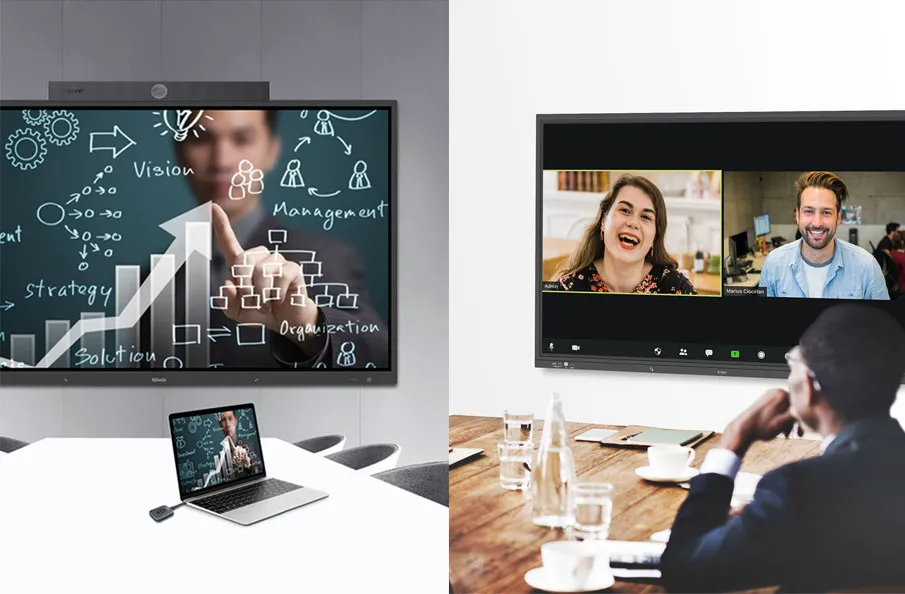
Imagine walking into a classroom or boardroom and delivering a flawless presentation—no delays, no glitches, just smooth transitions and clear visuals. With the Q-NEX Desktop Smart Podium NDP500, seamless matrix switching turns traditional lecterns into powerful, interactive presentation hubs. This article explores how the NDP500’s innovative features enhance audience engagement, streamline presenter workflows, and integrate seamlessly with modern AV systems, revolutionizing classrooms and boardrooms.

1. The Demand for Engaging, Seamless Presentations
Today’s audiences—whether students or corporate stakeholders—crave immersive, interactive experiences. Static presentations no longer cut it; technical hiccups can break the spell. Smart podiums like the NDP500 Gen2 address this by centralizing control and delivering uninterrupted content, ensuring your message lands with impact.
1.1. Why Seamless Matrix Switching Matters
At the heart of the NDP500 Gen2 lies its 3×2 matrix switch, enabling instant transitions between multimedia inputs without blackouts or lag. This technology ensures your presentation flows like a well-rehearsed story, keeping audiences hooked and eliminating distractions.
1.2. The NDP500: Your Key to Presentation Excellence
Compact, plug-and-play, and packed with features like dual screens, wireless microphones, and campus-wide AV broadcasting, the NDP500 turns any lectern into a high-tech hub. Its versatility suits small seminars, large auditoriums, or hybrid meetings, making it an investment in engagement and professionalism.
2. Feature 1: Lightning-Fast Matrix Switching for Seamless Storytelling
Imagine a professor toggling between a historical timeline and a live video reenactment without missing a beat, or a CEO switching from financial charts to a product demo in seconds. The NDP500 Gen2’s 3×2 HDMI matrix switch makes this possible, delivering fluid transitions that keep audiences captivated.
2.1. Zero-Lag Transitions for Unbroken Momentum
In a packed lecture hall, a blank screen can kill engagement. The NDP500 Gen2’s matrix switch ensures instant input changes—say, from a laptop to a document camera—keeping your narrative flowing and your audience immersed in the moment.
2.2. Effortless Multi-Input Management
With a single tap on the NDP500 ’s intuitive interface, presenters can manage inputs like tablets, cameras. Picture a teacher seamlessly integrating a student’s shared screen into the lesson, fostering collaboration without pausing the class.
2.3. Why It Drives Engagement
Smooth visuals are more than technical—they’re emotional. By eliminating disruptions, the NDP500 lets you focus on storytelling, ensuring your audience stays connected to your message. This reliability makes every presentation feel polished and professional, compelling institutions to invest in this game-changer.
3. Feature 2: Immersive Display Options for Memorable Experiences
Visualize a biology class where a professor annotates a 3D cell model on the NDP500’s dual screens, simultaneously projecting it on an IQTouch TR1310C Pro interactive display for students to follow. The NDP500’s display capabilities create vivid, interactive moments that resonate.
3.1. Multi-Screen Output for Dynamic Visuals
The NDP500 Gen2 routes content to multiple displays—like projectors or interactive panels—with seamless matrix precision. This flexibility lets you share a video on a large screen while annotating notes on your podium, making lessons or pitches visually rich and engaging.
3.2. Real-Time Annotations to Spark Interaction
With dual screens supporting pen and finger input, presenters can highlight key points or sketch diagrams on the fly. Imagine a corporate trainer circling data points during a strategy session, keeping the room energized and collaborative.
3.3. Ergonomic Design for Presenter Confidence

The NDP500’s 30°-50° screen adjustment ensures comfort, whether you’re seated or standing. This adaptability lets you maintain eye contact with your audience, fostering connection and making the podium a natural extension of your presence. Its sleek design signals professionalism, enticing buyers with its blend of form and function.
4. Feature 3: Seamless AV Integration for Effortless Connectivity
Consider a hybrid conference where in-person and remote attendees experience the same crystal-clear visuals and audio, thanks to the NDP500’s robust AV integration. Its compatibility and streaming capabilities make it a cornerstone for modern, inclusive presentations.
4.1. Universal Compatibility with Classroom Tech
The NDP500 integrates effortlessly with devices like the IQTouch TR1310C Pro interactive display or high-resolution projectors via HDMI and USB-C ports, ensuring crisp crisp visuals and reliable performance. Picture a school upgrading its lecture halls without replacing existing tech—the NDP500’s makes it a cost-effective, attractive solution.
4.2. Live Streaming for Global Reach

For a university hosting a guest lecture, the NDP500’s matrix switcher ensures glitch-free streaming to remote students. Its campus-wide AV broadcasting supports hybrid learning, making it a compelling choice for institutions aiming to expand their reach.
4.3. Centralized Control to Save Time
Managing lights, projectors, and air conditioners from one interface streamlines setup. Imagine a presenter walking into a boardroom, tapping the NDP500 to dim lights and start a projector, and diving into their pitch without delay. This efficiency enhances user experience, driving demand for the podium.
4.4. Ideal for Lectures, Meetings, and Live Events
In lectures, the NDP500 supports rapid material switches. In meetings, it enables dynamic data sharing. For live events, its AV broadcasting reaches large audiences flawlessly, making it versatile for any scenario. For example, a professor can toggle between slides and a live experiment feed on the IQTouch TR1310C Pro, while the second screen manages lighting, creating a seamless, engaging lesson.
5. Feature 4: Crystal-Clear Audio and Interactive Tools for Connection
Envision a keynote speaker moving freely across a stage, their voice crisp and clear through the NDP500 Gen2’s wireless microphone, while annotating slides with a stylus to emphasize key points. The NDP500 Gen2’s audio and interactivity features create unforgettable audience experiences.
5.1. Wireless Microphones for Freedom and Clarity
The NDP500 Gen2’s upgraded wireless microphone and built-in audio amplification deliver pristine sound, even in large venues. This freedom lets presenters engage audiences naturally, making the podium a must-have for dynamic speakers.

5.2. Gesture and Stylus Controls for Lively Interaction
With gesture controls for zooming and a capacitive stylus for precise annotations, the NDP500 Gen2 makes presentations interactive. Picture a teacher sketching a math equation in real-time, sparking student curiosity—this interactivity drives engagement and justifies the investment.
5.3. Building Audience Rapport
By combining clear audio with tools that invite participation, the NDP500 Gen2 transforms presentations into conversations. Audiences feel involved, whether in a classroom or a corporate event, making the podium a powerful tool for connection and a compelling purchase for decision-makers.
6. Real-World Impact: Transforming Presentations Across Settings
The NDP500 shines in diverse scenarios, proving its value. In a university lecture, a professor uses its matrix switching to toggle between slides and a live experiment feed, keeping students engaged. In a corporate boardroom, a manager streams a global team meeting with seamless AV integration, impressing stakeholders. For a school with limited space, the NDP500’s compact design upgrades a traditional lectern without costly renovations. These use cases highlight why the NDP500 is a smart investment—it delivers tangible results, from captivated audiences to streamlined operations.
7. Conclusion
The Q-NEX Desktop Smart Podium NDP500 is more than a tool—it’s a catalyst for unforgettable presentations. Its seamless matrix switching, immersive displays, robust AV integration, and interactive features empower presenters to engage audiences like never before. Whether you’re a teacher inspiring students or a professional pitching to clients, the NDP500 ensures your message shines without technical barriers. Ready to captivate your audience and elevate your space? Visit Q-NEX to discover how the NDP500 can transform your presentations into experiences that inspire and connect.
FAQs
What makes the NDP500’s seamless matrix switching unique?
The NDP500’s 3×2 HDMI matrix switch enables instant, blackout-free transitions between inputs, ensuring uninterrupted presentation flow in classrooms and meetings.
How does the NDP500 integrate with existing AV systems?
The NDP500 connects via HDMI, USB-C, seamlessly routing content through its seamless matrix to projectors, displays, and lecture capture systems.
Can smart podiums like the NDP500 support live streaming?
Yes, the NDP500 facilitates campus-wide AV broadcasting and live streaming, perfect for hybrid learning and large-scale events.
How does the NDP500 enhance audience engagement?
With seamless matrix switching, and clear audio via its wireless microphone, the NDP500 creates dynamic, interactive presentations.
Is the NDP500 suitable for small classrooms?
Absolutely, the NDP500’s compact design and adaptable smart podium technology make it ideal for any classroom or conference space.
Here are some other articles that we think might interest you:
AV Control System Comparison: Making the Right Choice
Choosing the Right AV Control System: A Comprehensive Guide
How to Choose the Right AV Control System for Your Boardroom