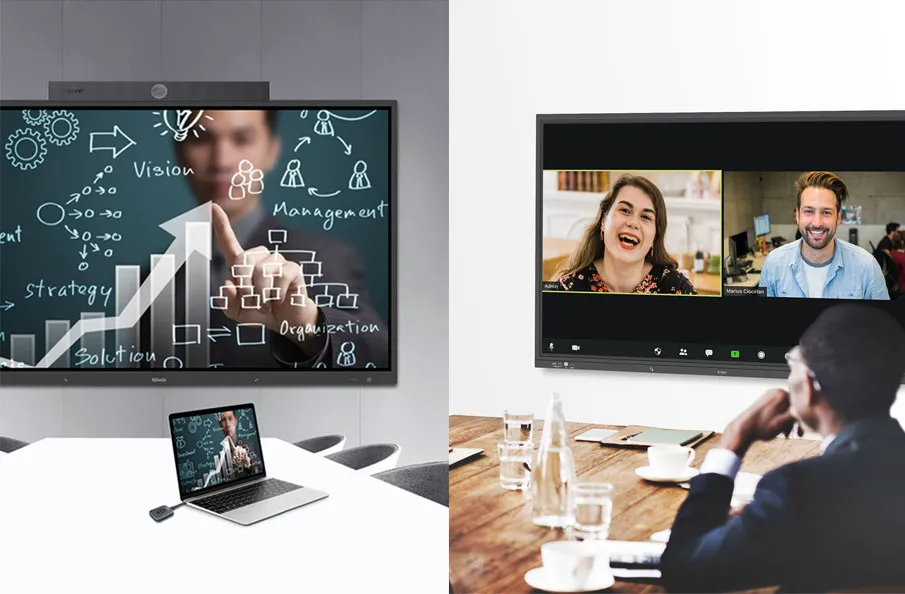
In today’s hybrid work environment, flexibility and efficiency are essential. With teams split between remote and in-office settings, a reliable room scheduler is no longer optional—it’s vital. Smart meeting room booking systems help reduce conflicts, improve productivity, and maximize office space usage.
The modern workplace depends on seamless collaboration, and the right tools make all the difference. In this article, we’ll highlight the 5 must-have features for an efficient room scheduler—ideal for businesses looking to enhance conference room scheduling and support dynamic team collaboration.
1. Why an Efficient Room Scheduler Matters in Modern Workplaces
In today’s rapidly evolving work culture—especially within hybrid workplace solutions—the need for a reliable and intuitive room scheduler has never been more critical. With a mix of in-office employees, remote team members, and shared workspaces, coordinating meeting spaces manually can lead to disorganization, frustration, and wasted time.
An efficient room scheduler streamlines the entire meeting room booking process, ensuring that employees can quickly find, reserve, and access meeting rooms without hassle. In environments where every minute counts, such automation helps reduce scheduling conflicts, boosts productivity, and supports smooth collaboration across departments and time zones.

1.1. The Role of Smart Scheduling in Hybrid Work Environments
As hybrid work models become the norm, hybrid workplace solutions have emerged as essential tools for maintaining cohesion and productivity. An efficient room scheduler enables teams to quickly find and reserve available meeting spaces, whether they’re logging in from home or walking through the office doors.
Smart room scheduling software helps bridge the gap between in-office and remote employees by allowing transparent, real-time access to meeting room availability. This visibility ensures that everyone is on the same page and helps facilitate smoother collaboration.
1.2. Common Challenges in Room Booking Without the Right Tools
Without a proper room scheduling system, organizations face several recurring issues:
- Double Bookings: Without real-time data, multiple teams may reserve the same room unknowingly.
- Ghost Meetings: Rooms are booked but left empty, preventing others from using them.
- Wasted Time: Employees spend valuable minutes searching for available space or waiting for a room to be vacated.
- Poor Utilization Data: Without analytics, it’s hard to understand how rooms are being used—or underused.
In short, the absence of an efficient conference room scheduling tool leads to lost productivity, frustrated teams, and underperforming office resources.
A modern, feature-rich room scheduler addresses these pain points head-on, providing a centralized, automated solution that enhances space utilization, supports flexible work models, and fosters better communication between teams.

2. Key Benefits of Using a Feature-Rich Room Scheduling System
An advanced room scheduler goes far beyond basic booking—it becomes a powerful tool for improving workplace efficiency, optimizing space, and enhancing the overall employee experience. Here are the core benefits of using a robust room scheduling system in today’s hybrid workplace:
2.1. Boosting Employee Productivity and Time Management
Time wasted hunting down a meeting room is time taken away from meaningful work. With a user-friendly room scheduler, employees can view room availability, schedule, and confirm bookings in seconds. This smooth experience removes friction and enables staff to focus on what matters most — their work.
2.2. Optimizing Office Space Usage and Collaboration
Data-driven scheduling systems help teams understand how office space is being used and where improvements can be made. Through space utilization analytics, you can track booking frequency, identify high-demand areas, and even reduce unused or wasted space. This is particularly valuable in today’s hybrid model, where not all employees are on-site every day.
3. 5 Must-Have Features for an Efficient Room Scheduler
The Q-NEX Room Scheduler CPL50 is a leading-edge room scheduler designed to meet the demands of hybrid workplace solutions. Its innovative features make it a top choice for organizations seeking smarter ways to manage meeting room booking across small meeting rooms, large conference spaces, and training rooms. Here’s a detailed look at the five must-have features that set the CPL50 apart for conference room scheduling and office space management.
3.1. 10-Inch HD Touchscreen Display for Clear Meeting Info
The CPL50 features a 10-inch high-definition touchscreen, delivering an intuitive and user-friendly experience for smart meeting room booking. The large display allows users to view real-time room availability, meeting schedules, and general announcements with ease, supporting quick bookings for impromptu or future meetings. Its clarity and responsiveness minimize user errors, reducing training time for employees. Designed to fit seamlessly into huddle rooms, boardrooms, and training centers, this touchscreen enhances office space management in hybrid workplace solutions, ensuring efficient conference room scheduling.

3.2. Real-Time Room Availability with LED Status Lights
A standout feature of the CPL50 is its LED status strip, providing instant real-time room availability with simple color coding: green for available, red for occupied. Mounted above the touchscreen, this strip offers at-a-glance visibility, eliminating the need to interrupt meetings or check schedules manually. Ideal for fast-paced offices, it prevents double bookings and supports hybrid team coordination. By streamlining conference room scheduling, the status strip optimizes office space management, making the CPL50 a vital tool for hybrid workplace solutions.
3.3. One-Tap QR Code Check-In for Seamless Attendance
The CPL50’s touchless QR code check-in enhances security and convenience in meeting room booking. Attendees, including employees and guests, scan a QR code on the touchscreen to confirm presence instantly, reducing wait times and eliminating front desk intervention. This feature minimizes no-shows, prevents “ghost bookings,” and provides accurate usage data for space utilization analytics. In hybrid workplace solutions, QR code check-in supports efficient conference room scheduling, ensuring office space management aligns with dynamic team needs.
3.4. Energy-Saving Design with Sleep Mode Function
Sustainability is a core strength of the CPL50, featuring an energy-saving room display with a sleep mode that dims or powers off when rooms are unused. This reduces power consumption, extends device lifespan, and aligns with corporate sustainability goals, promoting eco-friendly scheduling. The customizable sleep mode adapts to office hours, ensuring functionality without waste. Its sleek design complements any space, making the CPL50 a responsible choice for room scheduling software in hybrid workplace solutions.
3.5. End-to-End Meeting Management via Q-NEX Console
The CPL50 excels as a comprehensive room scheduler through integration with the Q-NEX Console, a web-based centralized platform for end-to-end meeting management. Administrators gain real-time control over bookings, check-ins, and displays across multiple CPL50 units and locations, supporting multi-location support. Built-in space utilization analytics track usage patterns, enabling data-driven decisions to optimize office space management. This feature streamlines conference room scheduling, empowering hybrid team coordination in hybrid workplace solutions.

4. How to Choose the Right Room Scheduler Based on These Features
Selecting the ideal room scheduler for your organization isn’t just about picking the one with the most bells and whistles—it’s about finding a system that aligns with your team’s workflow, infrastructure, and office culture. With hybrid work becoming the norm, the right meeting room booking solution can mean the difference between seamless collaboration and daily chaos. Here’s how to choose the best scheduler based on essential features and your specific business needs.
4.1. Evaluating Your Organization’s Size and Scheduling Needs
Every organization is different. A small team operating in a single location may not require the same level of complexity as a multi-site enterprise. Start by asking:
- How many meeting rooms or shared spaces do you need to manage?
- Do you operate across multiple time zones or locations?
- Are employees mostly on-site, remote, or working in a hybrid model?
If you’re a global team, multi-location and time zone support is a non-negotiable feature. For companies with frequent internal meetings and guest visits, QR code check-in, real-time availability, and calendar integration become crucial.
The larger your organization, the more value you’ll get from centralized management tools like the Q-NEX Console, which allows for scalable room booking administration and usage reporting.
4.2. Prioritizing Must-Have vs. Nice-to-Have Capabilities
While it’s tempting to aim for a feature-packed system, focus on what delivers real value. Real-time room availability, calendar integration, and intuitive interfaces should be your top priorities. Features like QR check-ins and energy-saving modes are valuable additions that support operational efficiency and sustainability.
5. Implementation Tips for Maximum Efficiency
Investing in a feature-rich room scheduler is only the first step—successful implementation determines whether your organization actually reaps the benefits. From onboarding to integration, a smooth rollout ensures that employees adopt the system quickly, office space is used efficiently, and meetings run like clockwork. Below are practical, actionable tips to maximize the efficiency of your meeting room booking solution.
5.1. Training Employees on Usage and Best Practices
A tool is only effective if your team uses it correctly. Offer training sessions, user guides, or interactive tutorials to familiarize employees with the new room scheduler. Encourage habits like canceling unused bookings and checking in promptly to keep the system accurate.
5.2. Integrating Room Scheduler with Existing Office Tech Stack
For true hybrid workplace solutions, your room scheduler shouldn’t operate in isolation. Ensure it seamlessly integrates with tools already in use, If you’re using the Q-NEX Console, for example, leverage it to connect and manage multiple conference room screens and occupancy sensors through one interface.The more integrated your systems, the less switching users need to do—resulting in greater adoption and reduced admin overhead.
6. Conclusion
An efficient room scheduler is vital for modern hybrid workplace solutions, transforming meeting room booking and conference room scheduling. With features like real-time room availability, QR code check-in, and space utilization analytics, tools like the Q-NEX Room Scheduler CPL50 optimize office space management. Its intuitive touchscreen, Q-NEX Console, and eco-friendly scheduling support hybrid team coordination. Ready to streamline your workplace? Contact us to explore the CPL50 and elevate your smart meeting room booking in 2025.
FAQs
What makes Room Scheduler CPL50 ideal for hybrid workplaces?
The CPL50’s touchscreen, QR code check-in, and real-time room availability via Q-NEX Console optimize conference room scheduling and office space management for hybrid team coordination in hybrid workplace solutions.
How does QR code check-in help improve meeting room efficiency?
QR code check-in speeds up attendance confirmation, reduces wait times, and prevents ghost bookings, enhancing space utilization analytics for meeting room booking in hybrid workplace solutions.
Can a room scheduler handle multi-location support?
Yes, the CPL50’s Q-NEX Console offers multi-location support, streamlining conference room scheduling across global offices for office space management in hybrid workplace solutions.
Can CPL50 be used across multiple office locations?
Absolutely. The CPL50’s Q-NEX Console, a web-based platform, centralizes management for multiple locations, optimizing meeting room booking in hybrid workplace solutions.
Does CPL50 help reduce energy costs in the office?
Yes, its energy-saving room display with sleep mode minimizes power use, supporting eco-friendly scheduling and lowering costs in hybrid workplace solutions.
Here are some other articles that we think might interest you:
Simple Beginner Guide to Understanding Room Scheduling Technology